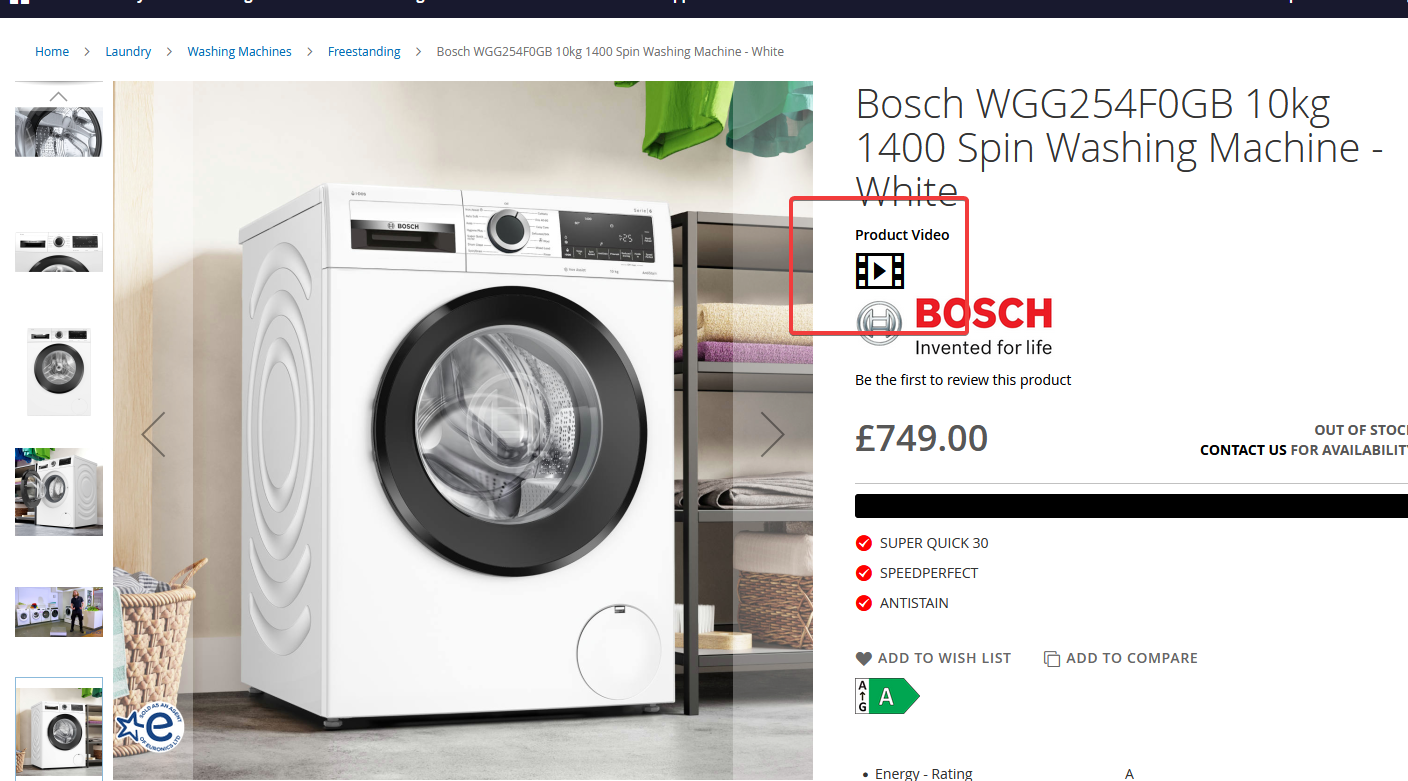
Embedding videos on your product pages
This feature is not enabled by default. Please contact the web team and request this feature be enabled.
NOTE: The video will need to be uploaded to a third party hosting platform like Youtube or Vimeo. This cannot be achieved with the raw video file.
It is possible to embed a video on your product pages using the video's URL.
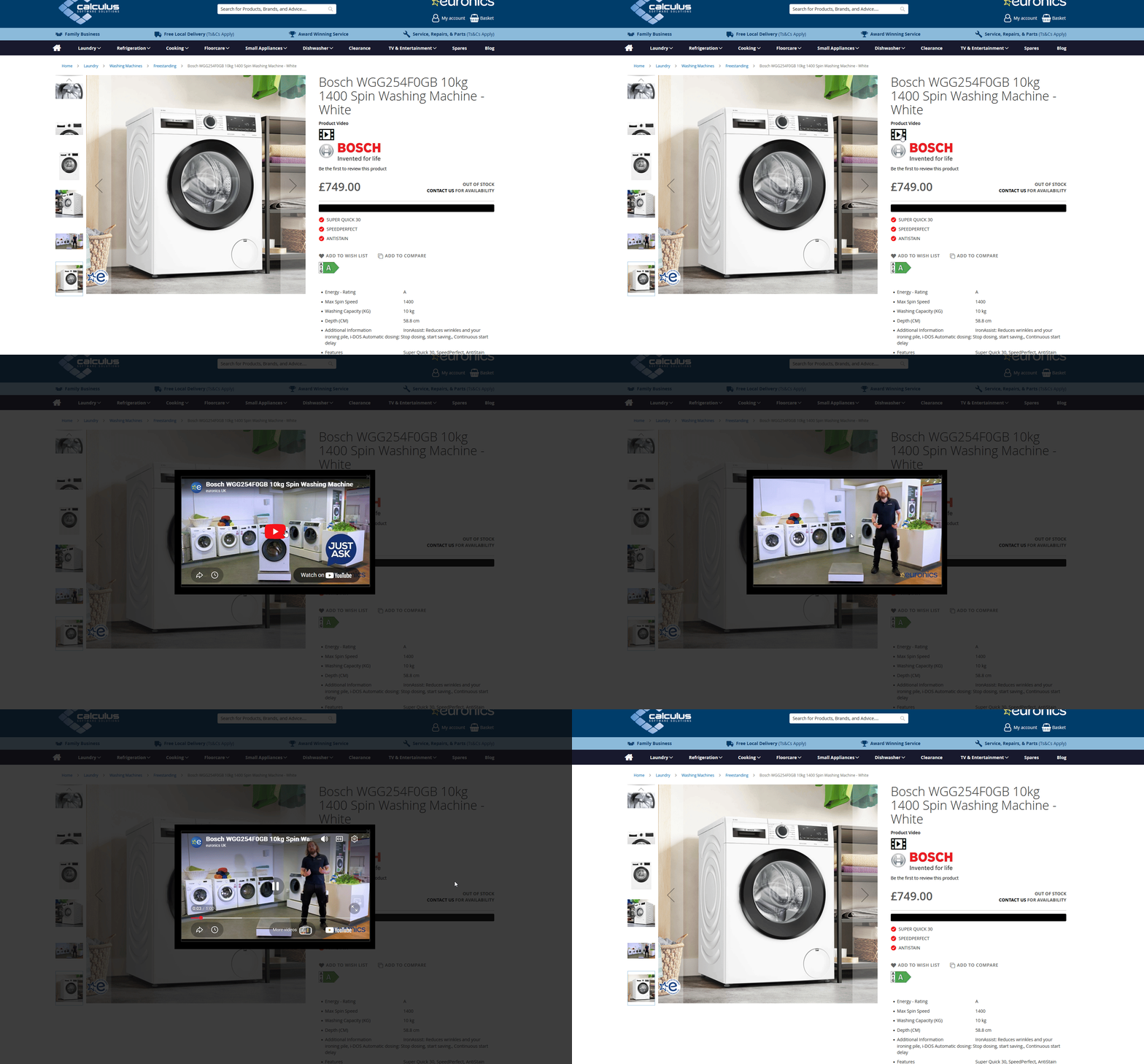
Step 1: Setup
Setup for this takes place in NCompass
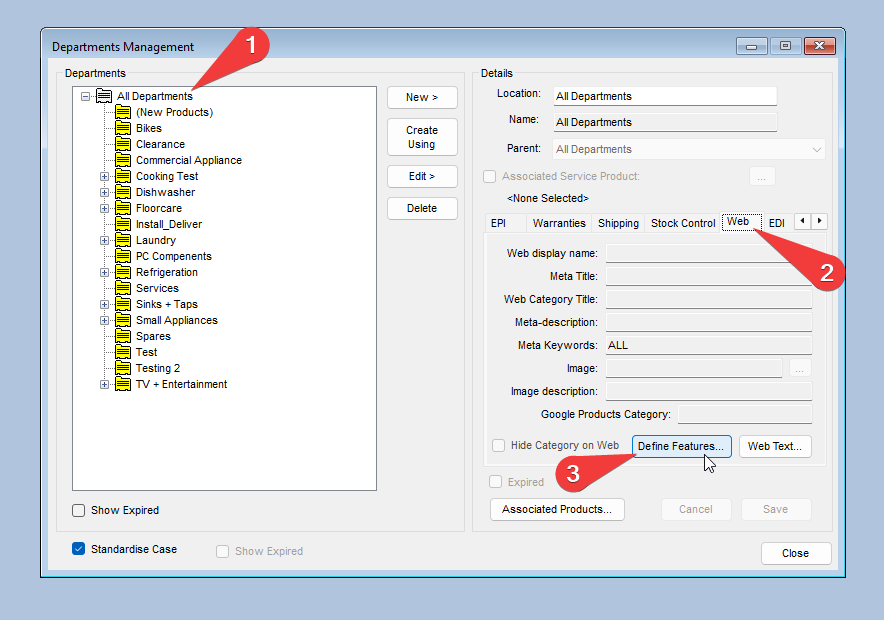
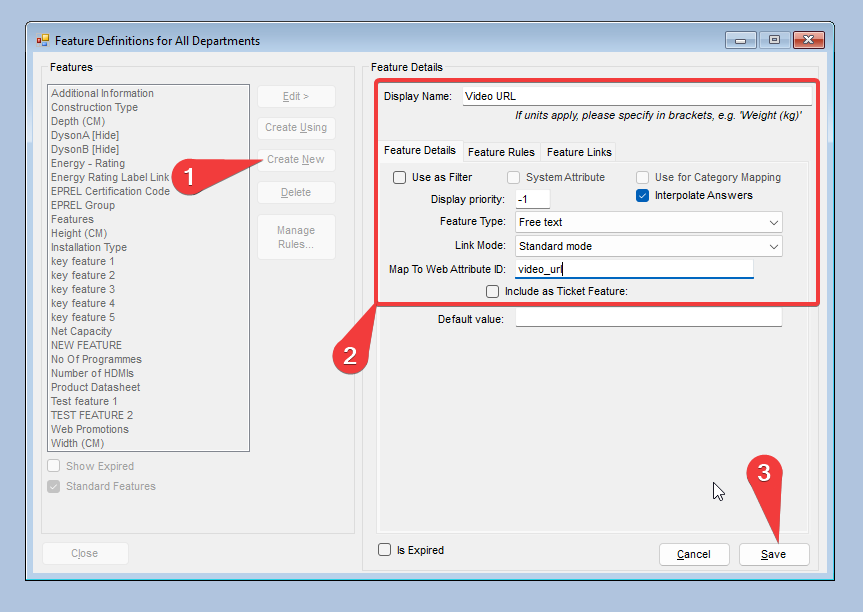
In this window create a new feature using the Create New button.
Populate the following fields befroe pressing Save
| Field | Value |
| Display Name | Video URL |
| Use as Filder | Unchcked |
| Display Priority | -1 |
| Featur Type | Free Text |
| Map To Web Attribute ID | video_url |
Setup Complete
Step 2: Linking My Video
As the warning at the top of this guide states, you can only embed a video URL to your product pages. We do not currently support the upload of RAW video files.
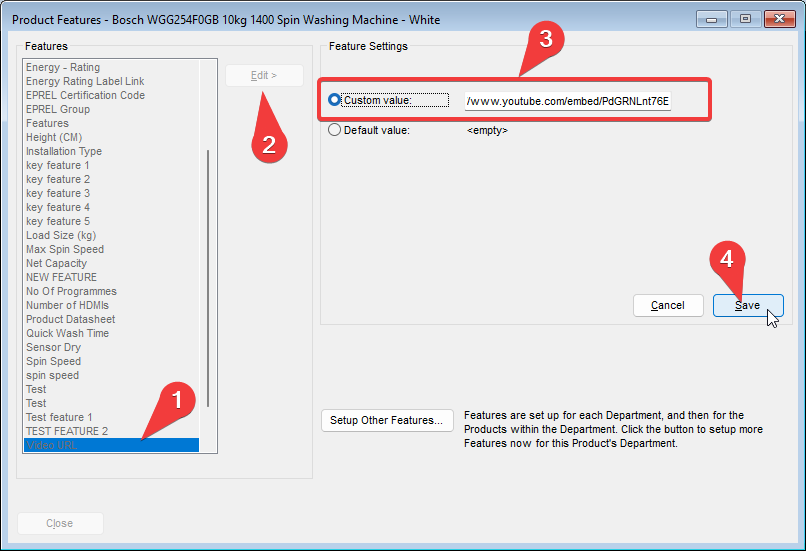
Press Edit and then select the Custom Value: radio button, pasting in the URL for your hosted video
NOTE: If you are using a YouTube video you will need to use the /embed URL instead of the stardard /watch URL found in the address bar.
Once your product has synced to the website you will not see a video icon on the product display page which will open a popup containing your video.