# Embedding videos on your product pages

<p class="callout info">**This feature is not enabled by default.** Please contact the web team and request this feature be enabled.</p>

<p class="callout warning">NOTE: The video will need to be uploaded to a third party hosting platform like Youtube or Vimeo. This cannot be achieved with the raw video file.</p>

It is possible to embed a video on your product pages using the video's URL.

[![firefox_CmXQUjVLPt.gif](https://kb.findesolutions.com/uploads/images/gallery/2026-03/rVFYoighGZdSRu5a-firefox-cmxqujvlpt.gif)](https://kb.findesolutions.com/uploads/images/gallery/2026-03/rVFYoighGZdSRu5a-firefox-cmxqujvlpt.gif)
### Step 1: Setup

Setup for this takes place in NCompass

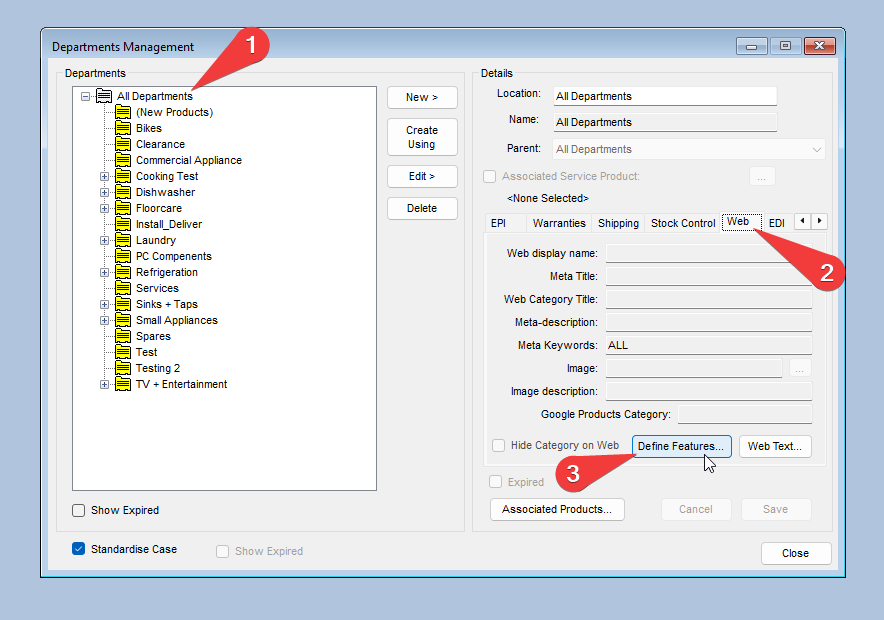
Navigate to **Administration** &gt; **Department Management** and open **Define features** in the web tab of all departments

[![NCompass_hMfOd8uhWz.png](https://kb.findesolutions.com/uploads/images/gallery/2026-03/scaled-1680-/JOca0oaoLLEqG57T-ncompass-hmfod8uhwz.png)](https://kb.findesolutions.com/uploads/images/gallery/2026-03/JOca0oaoLLEqG57T-ncompass-hmfod8uhwz.png)
In this window create a new feature using the **Create New** button.

Populate the following fields befroe pressing **Save**

<table border="1" class="align-center" id="bkmrk-field-value-display-" style="border-collapse: collapse; width: 50%; height: 179.5px; border: 1px solid rgb(0, 0, 0);"><colgroup><col style="width: 49.8946%;"></col><col style="width: 49.8946%;"></col></colgroup><thead><tr style="height: 29.9167px;"><td style="height: 29.9167px; border-color: rgb(0, 0, 0);">**Field**</td><td style="height: 29.9167px; border-color: rgb(0, 0, 0);">**Value**</td></tr></thead><tbody><tr style="height: 29.9167px;"><td class="align-center" style="height: 29.9167px; border-color: rgb(0, 0, 0);">Display Name</td><td style="height: 29.9167px; border-color: rgb(0, 0, 0);">Video URL</td></tr><tr style="height: 29.9167px;"><td style="height: 29.9167px; border-color: rgb(0, 0, 0);">Use as Filder</td><td class="align-center" style="height: 29.9167px; border-color: rgb(0, 0, 0);">Unchcked</td></tr><tr style="height: 29.9167px;"><td style="height: 29.9167px; border-color: rgb(0, 0, 0);">Display Priority</td><td style="height: 29.9167px; border-color: rgb(0, 0, 0);">-1</td></tr><tr style="height: 29.9167px;"><td style="height: 29.9167px; border-color: rgb(0, 0, 0);">Featur Type</td><td style="height: 29.9167px; border-color: rgb(0, 0, 0);">Free Text</td></tr><tr style="height: 29.9167px;"><td style="height: 29.9167px; border-color: rgb(0, 0, 0);">Map To Web Attribute ID</td><td style="height: 29.9167px; border-color: rgb(0, 0, 0);">video\_url</td></tr></tbody></table>

[![NCompass_dOkCiAQz1y.png](https://kb.findesolutions.com/uploads/images/gallery/2026-03/scaled-1680-/gKLyWMF8xviagy8Q-ncompass-dokciaqz1y.png)](https://kb.findesolutions.com/uploads/images/gallery/2026-03/gKLyWMF8xviagy8Q-ncompass-dokciaqz1y.png)

Setup Complete

### Step 2: Linking My Video

As the warning at the top of this guide states, you can only embed a video URL to your product pages. We do not currently support the upload of RAW video files.

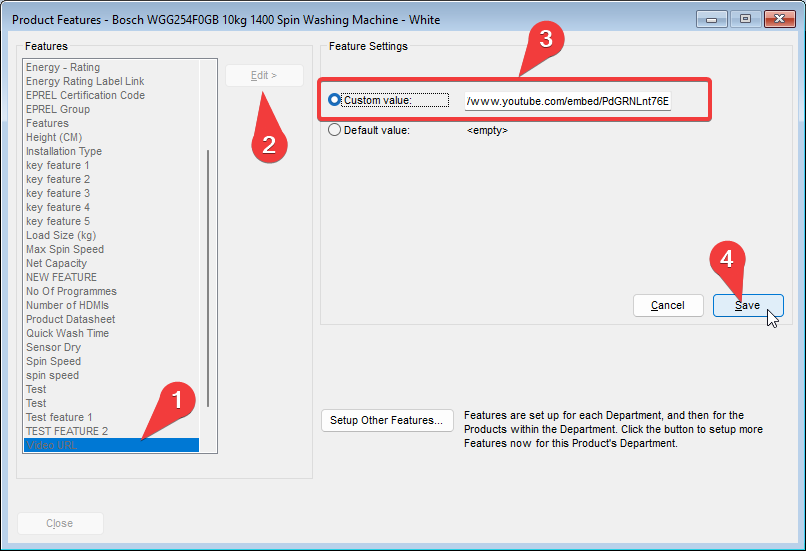
Navigate to the **Product Features** window for the product you are embeding the video to and select **Video URL** from the list of available features.

Press **Edit** and then select the **Custom Value:** radio button, pasting in the URL for your hosted video

<p class="callout danger">NOTE: If you are using a YouTube video you will need to use the /embed URL instead of the stardard /watch URL found in the address bar.</p>

[![NCompass_OAsXKIq3Rh.png](https://kb.findesolutions.com/uploads/images/gallery/2026-03/scaled-1680-/yoKhXwfspwtEH38A-ncompass-oasxkiq3rh.png)](https://kb.findesolutions.com/uploads/images/gallery/2026-03/yoKhXwfspwtEH38A-ncompass-oasxkiq3rh.png)

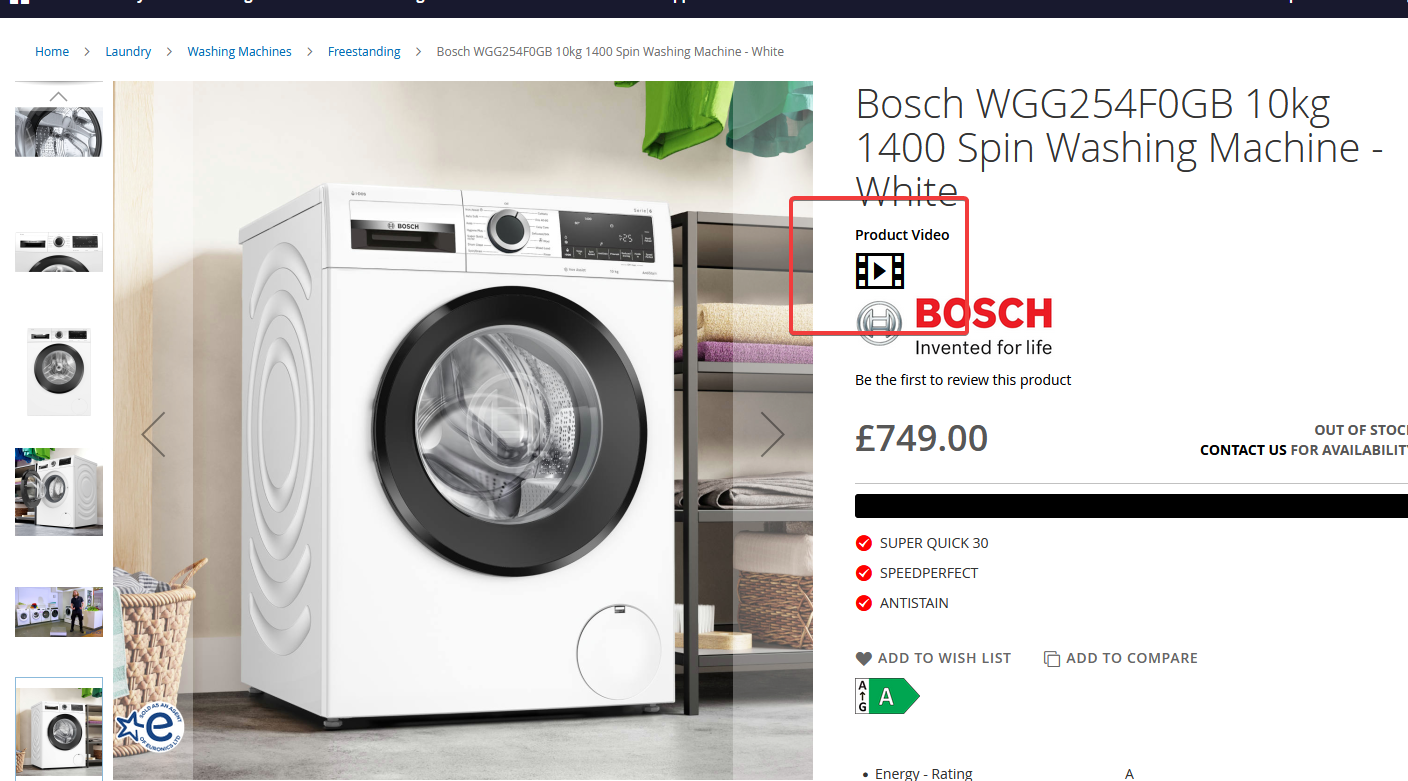
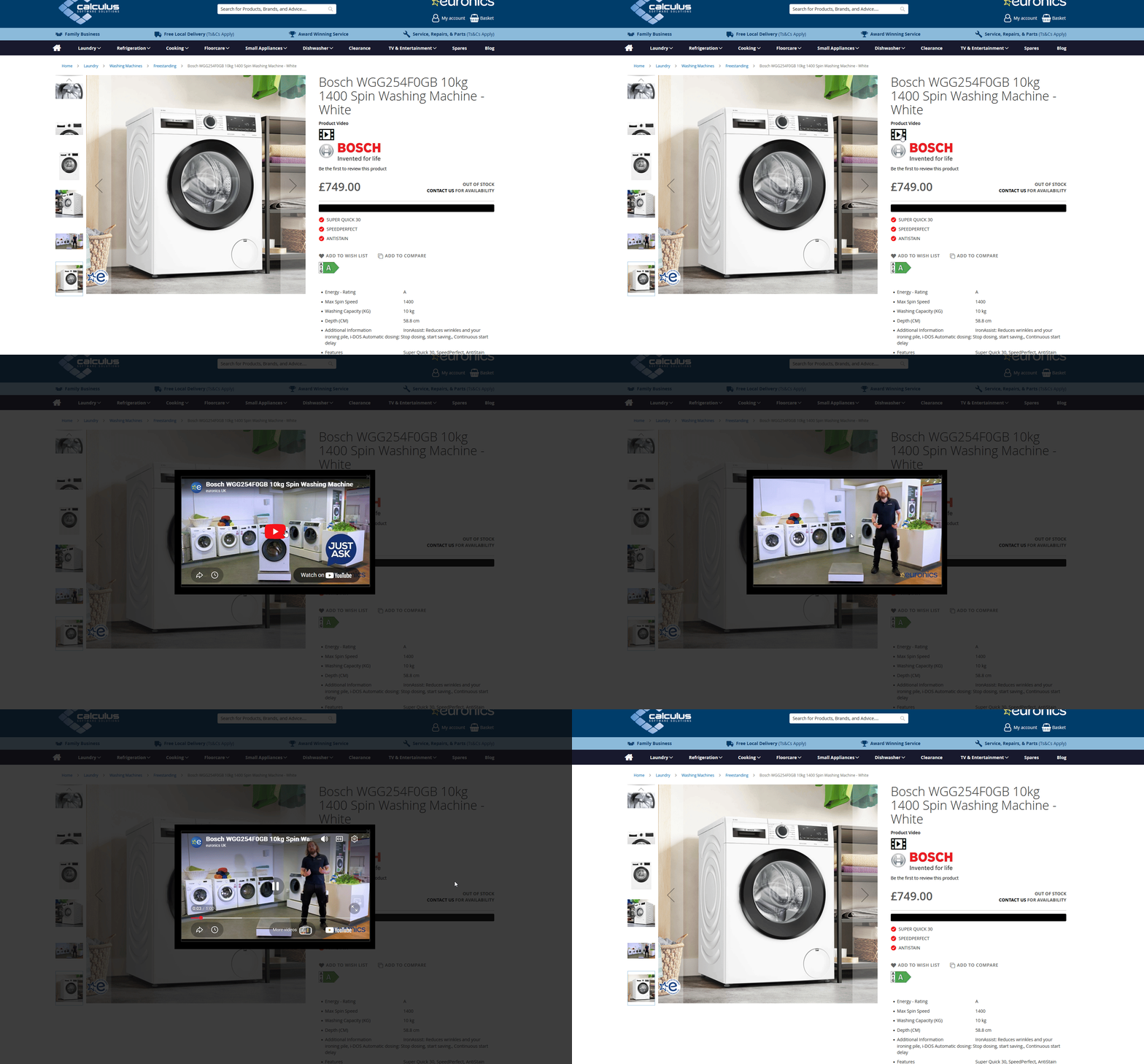
Once your product has synced to the website you will not see a video icon on the product display page which will open a popup containing your video.

[![image.png](https://kb.findesolutions.com/uploads/images/gallery/2026-03/scaled-1680-/1wg6m7vQxLnkrq79-image.png)](https://kb.findesolutions.com/uploads/images/gallery/2026-03/1wg6m7vQxLnkrq79-image.png)