Stock Management
Stock Management is used to check details against an item without using Desktop NCompass. It can be used to:
- View Current Branch
- View Current Stock Room
- View Current Stock Location
- Check and amend Serial Numbers
- Add Condition
- Check and Change Selling Prices for all Categories
- Add Web Images
It can be used on both Fully Tracked Items and Count Only.
Fully Tracked Items
- Scan the NCompass Generated Stock Number Label
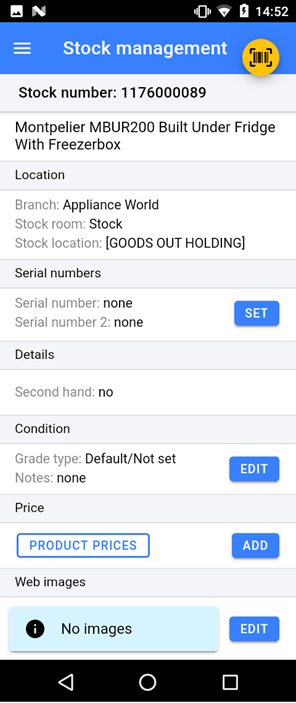
- You can update the serial numbers if they are incorrect or where not added at goods in, you can also add a second serial number.
- You can edit the item condition, adding notes and images.
- You can look up product pricing for the specific item.
- Reprint the Stock Number Label
Count Only Items
- Scan the EAN
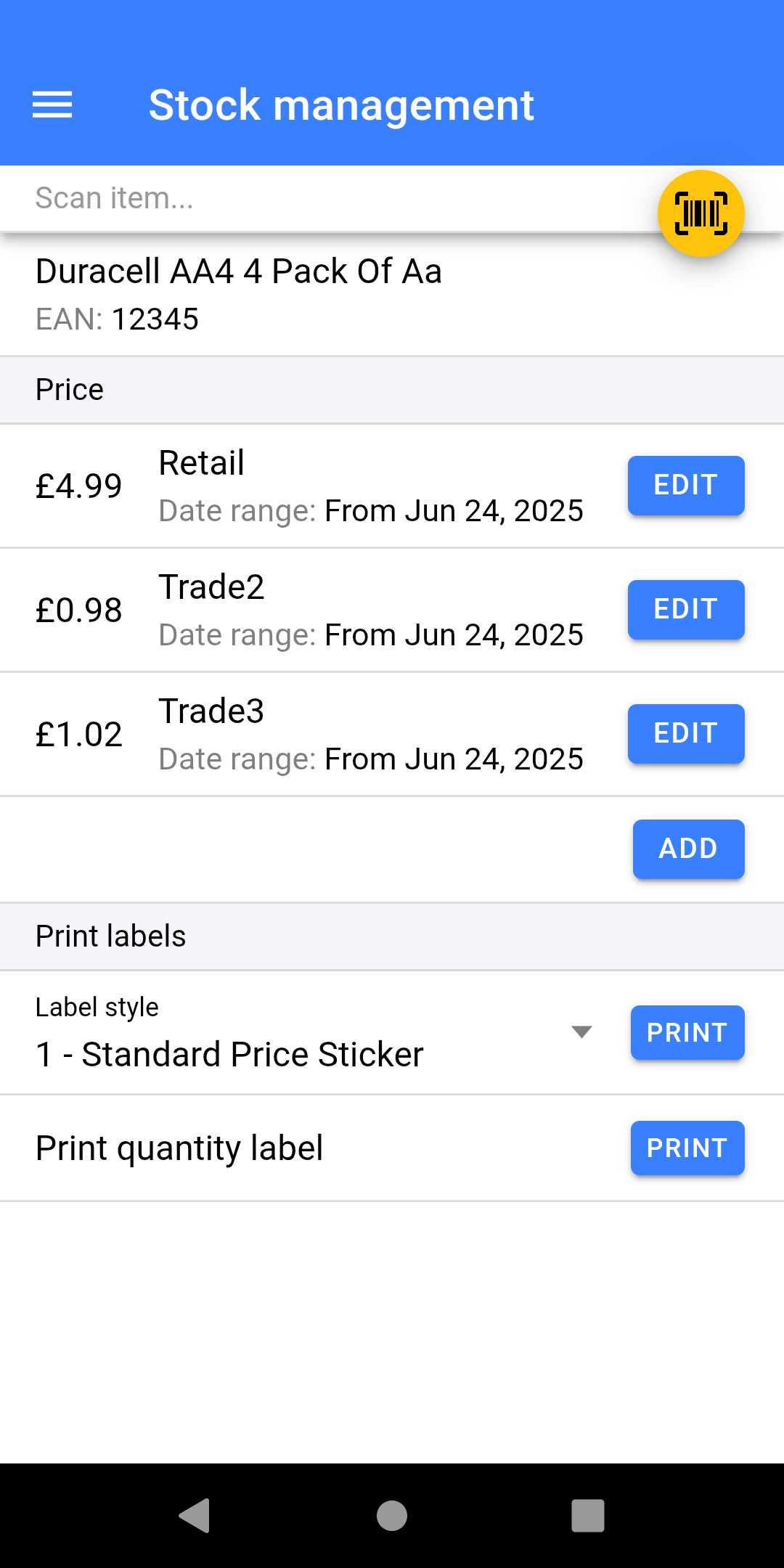
- You can lookup and change pricing, including quantity pricing.
- Reprint the label from a variety of styles.