Getting API Credentials Tesco Mirakl
The Tesco marketplace integration needs 3 pieces of information for you to enter into NCompass:
- API Key
- API Endpoint
- Store ID
This guide will cover how to get this information so you can enter it into the corresponding configs on NCompass
Tesco API Credentials
Once signed in we can get all the information we need
1 - API Endpoint
The API endpoint is the standard Tesco API Endpoint as listed in the documentation. take note of this URL
https://tescouk-prod.mirakl.net/api
2 - Store ID
The Store ID is gathered from the Tesco Store dashboard, this is required for any API calls to Tesco.
After signing in, you will be redirected to the following screen.
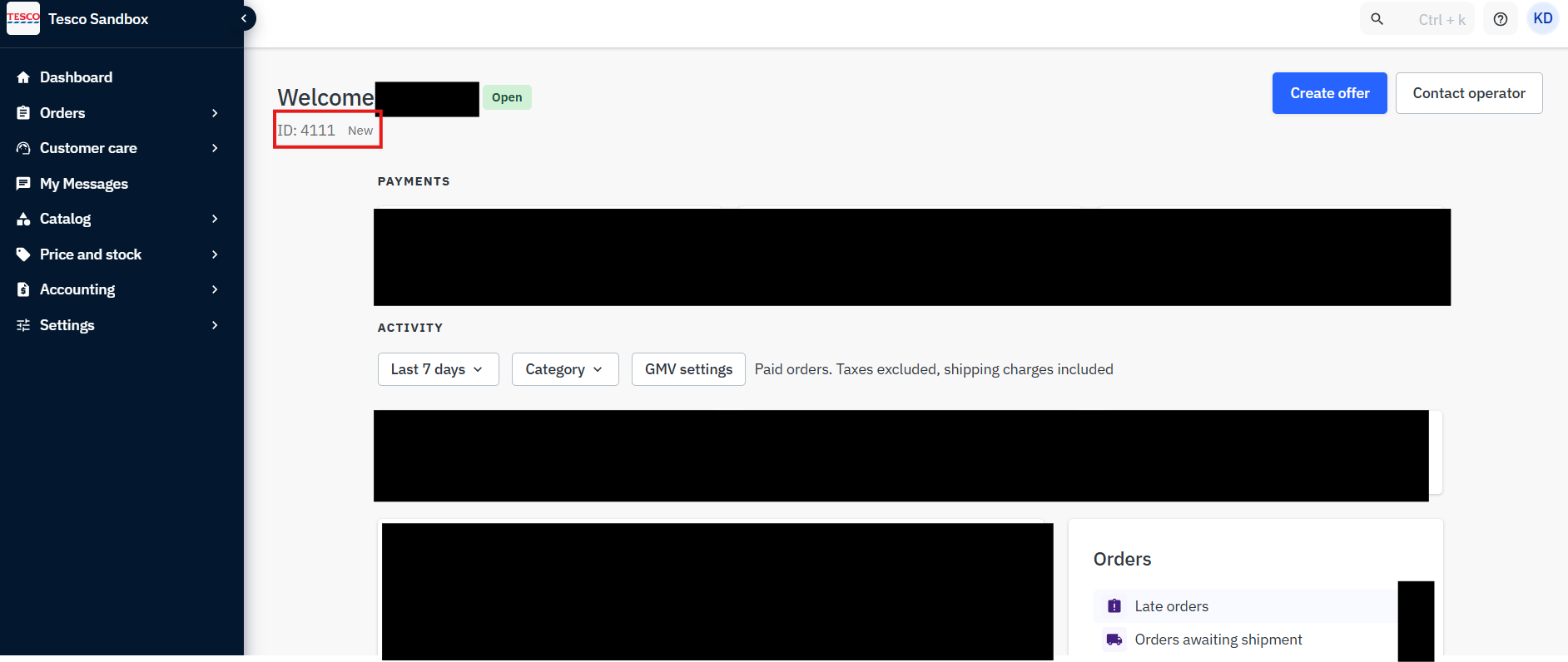
You will need to take note of the location in the screenshot above, this is the store ID
Store ID's differ between companies
3 - API Key
Main Dashboard
Stay on the Dashboard for Tesco. You will need to press on the profile icon in the top right, then press on "Personal settings"
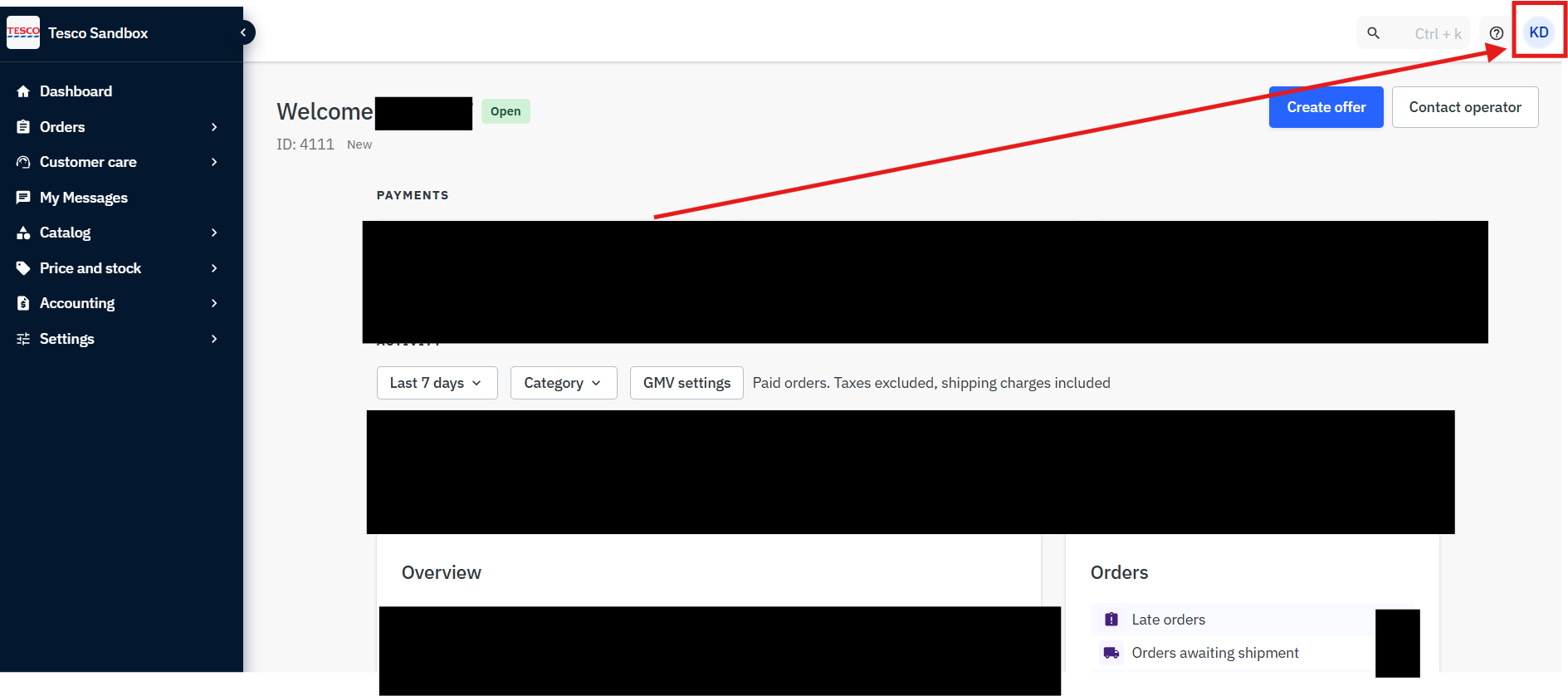
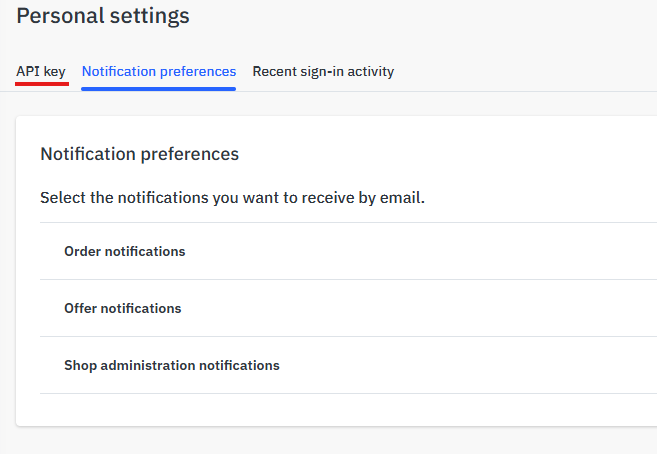
Personal Settings Page
once on this page, press on API key
Generate API Key
After you reach the API Key page, simply press Actions and on Generate new key. This will create an API key for the marketplace.
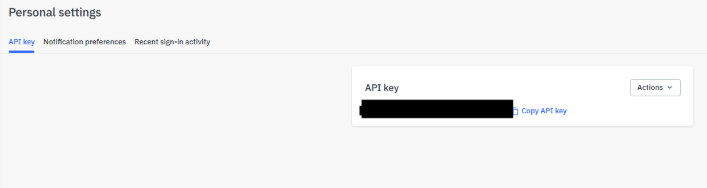
Copy the API Key to clipboard and store somewhere safely for the time being. This has to be kept secure.