Creating Marketplace Offers Tesco
Creating marketplace offers is done under the Web/Online Details tab of a product, managed next to all other web sections.
NCompass does not manage or sync up web content to the Tesco Marketplace. Only Stock and Price
You do not require any web details or content to submit offers, just a price for the web customer category and basic product information. The integration will use the product catalogue supplied by corresponding marketplaces to autofill the web content. Otherwise, you will need to create the product on Mirakl, create the offer, then back link it to NCompass using the OfferID.
Product Enquiry > Search for a product > Right click product > Select Web/Online Details > Navigate to Marketplace Tab
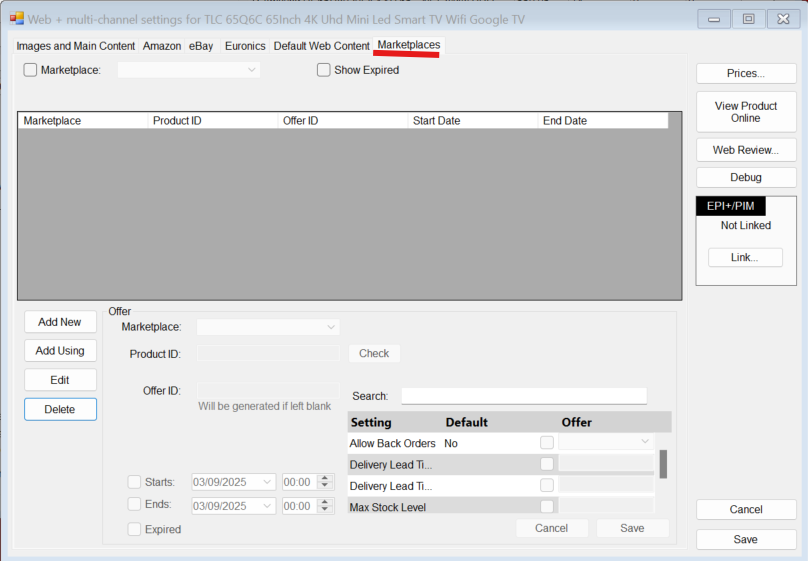
After reaching this tab, to create an offer you just need to press "Add New"
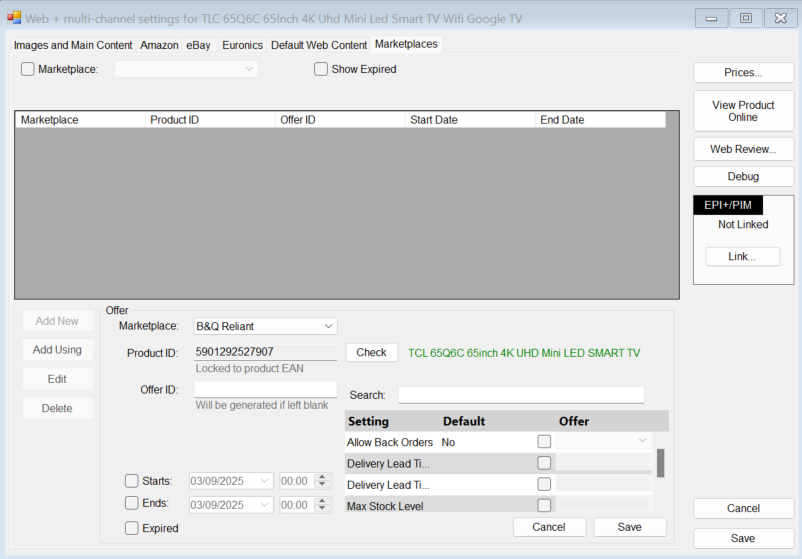
Select the marketplace of your choosing.
If Tesco is selected it will auto populate the Product ID using EAN - You can press "Check" to see if this is a Tesco catalogue product (This sends an API call to Tesco to see if its available)
You can then enter a pre-existing offer ID to link an active Tesco offer or leave it blank and NCompass will make an attempt to match an existing offer otherwise it will create a new one.
Tesco Marketplace links all products using GTIN -> EAN on NCompass
You can then press Save to create the offer -
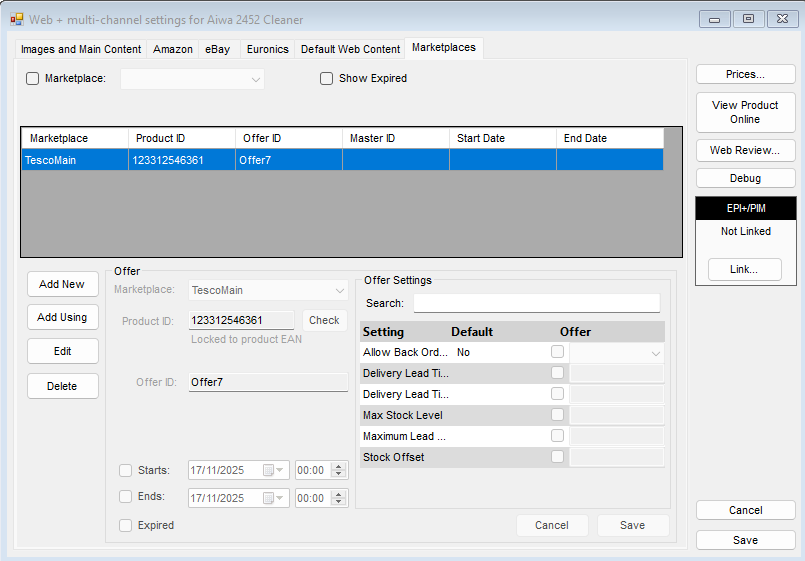
The offer settings in the bottom right are optional.