B&Q Marketplace Intro and API Credentials
With NCompass 11.10 onwards you are able to link the B&Q Marketplace to NCompass. This allows you to sync offers, download orders and provide order updates directly from NCompass.
To get started the B&Q marketplace integration needs 3 pieces of information for you to enter into NCompass for it to link to the store:
- API Key
- API Endpoint
- Store ID
This part of the guide will cover how to get this information so you can enter it into the corresponding configs on NCompass
B&Q API Credentials
Once signed in we can get all the information we need for NCompass
1 - API Endpoint
The API endpoint is the standard B&Q API Endpoint as listed in the documentation. take note of this URL
https://marketplace.kingfisher.com/api
2 - Store ID
The Store ID is gathered from the B&Q Store dashboard, this is required for any API calls to B&Q.
After signing in, you will be redirected to the following screen.
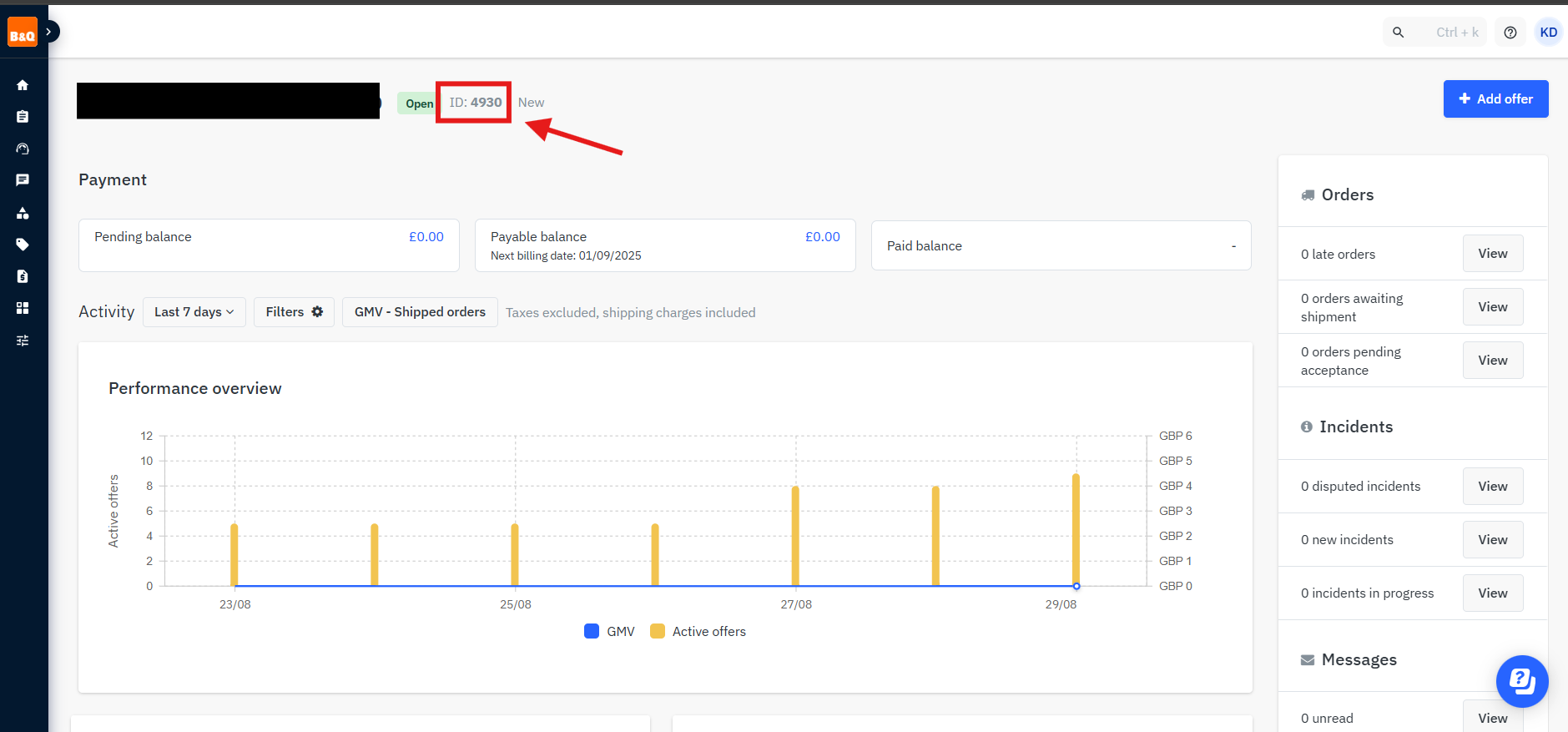
You will need to take note of the location in the screenshot above, this is the store ID
The store ID in the screenshot above is only an example
3 - API Key
Main Dashboard
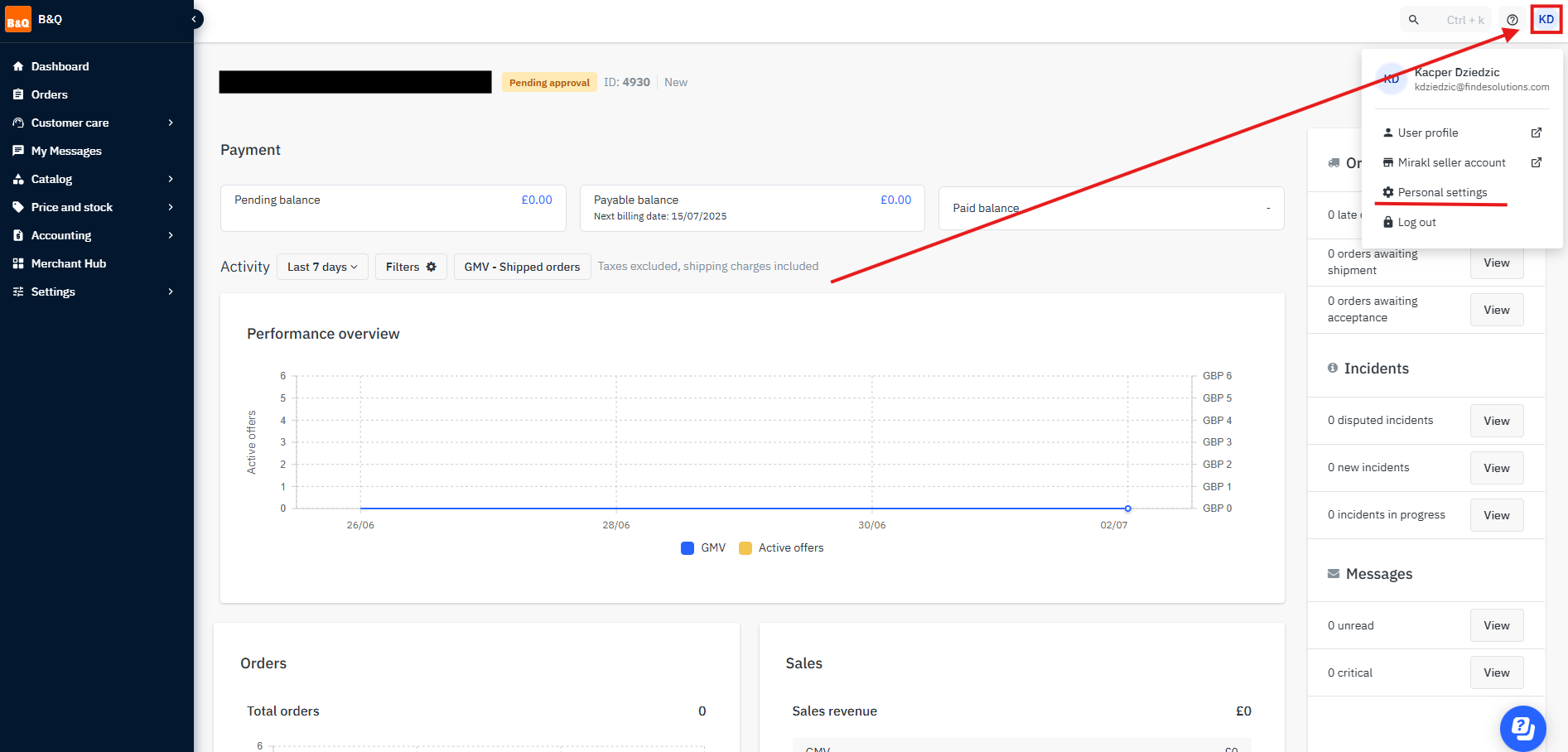
Stay on the Dashboard for B&Q. You will need to press on the profile icon in the top right, then press on "Personal settings"
Personal Settings Page
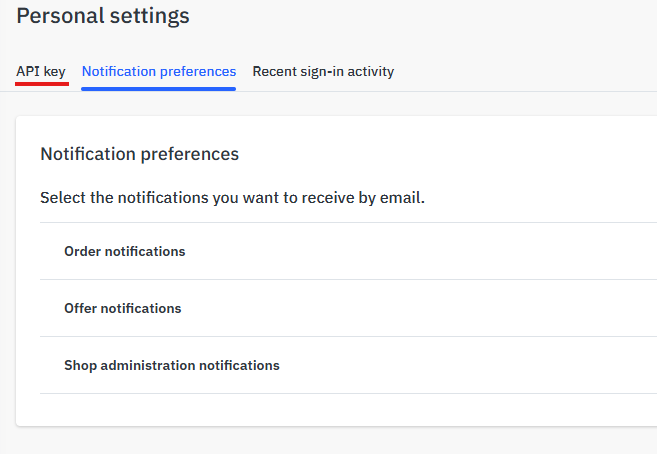
once on this page, press on API key
Generate API Key
After you reach the API Key page, simply press on Generate new key. This will create an API key for the marketplace.
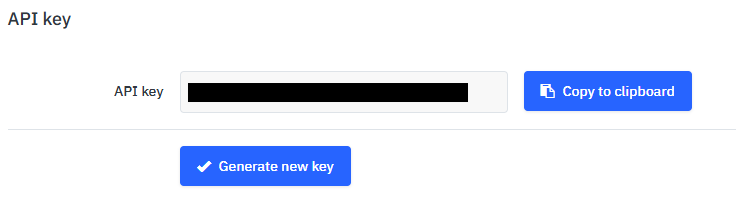
Copy the API Key to clipboard and store somewhere safely for the time being. This has to be kept secure.
You now have the API key and other details and can move on