Downloading Marketplace Orders Tesco
Downloading Orders works similarly to other web channels, marketplace integration does it entirely within ServerGUI. However some settings need to be configured for this to work.
The configs within the marketplace will work by default, importing brand new orders within 48 hours of them being placed. You can change this through marketplace settings.
Anything server related will have to be done by support
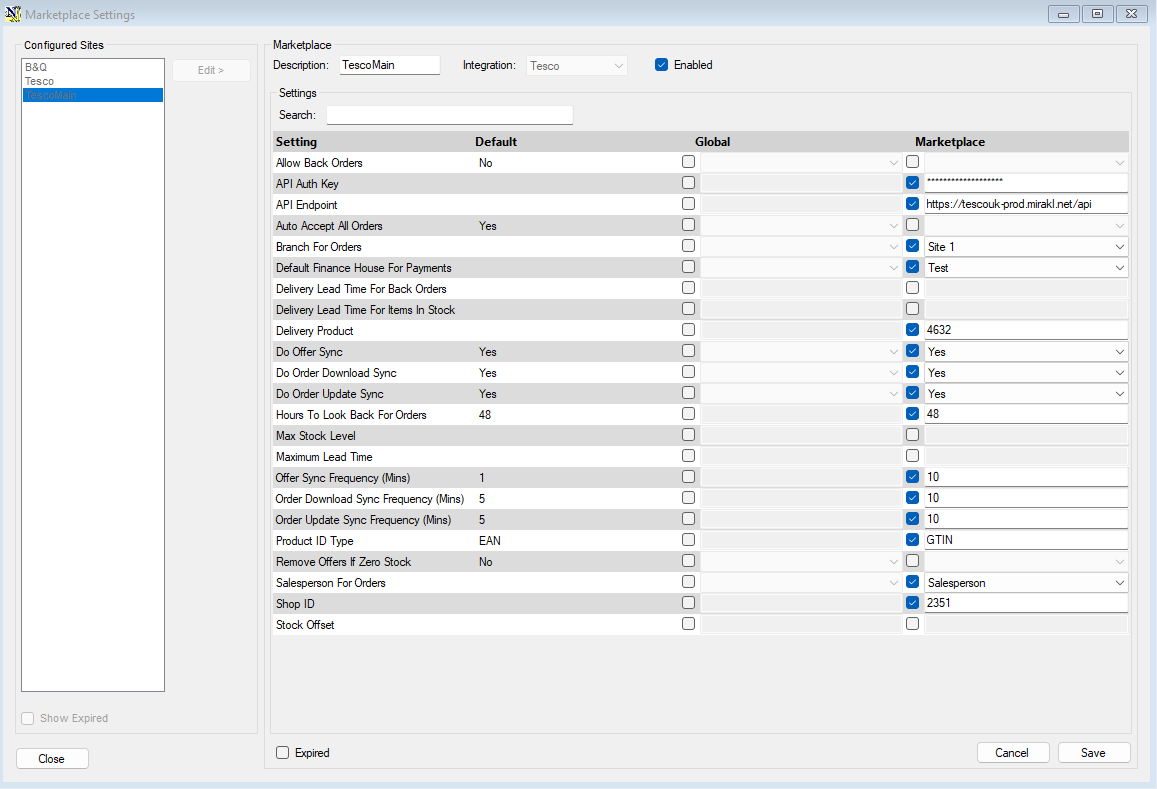
Relevant Configs:
Hours To Look Back For Orders - How far back ServerGUI will look back on Tesco for orders to import
Order Download Sync Frequency - How often ServerGUI checks for new orders in minutes
Default Finance House For Payments - Which finance house is chosen for NCompass Marketplace order payments
- The finance house can be set for marketplace orders within NCompass, otherwise this defaults to the first available Finance House.
Delivery Product - Which NCompass product gets assigned to Web orders for marketplace delivery products
Salesperson For Orders - The Salesperson which gets selected against Web orders
Optional But Likely Wanted:
- Linking Couriers to WebOrders - Linking Couriers to Marketplace
EXAMPLE WEB ORDER
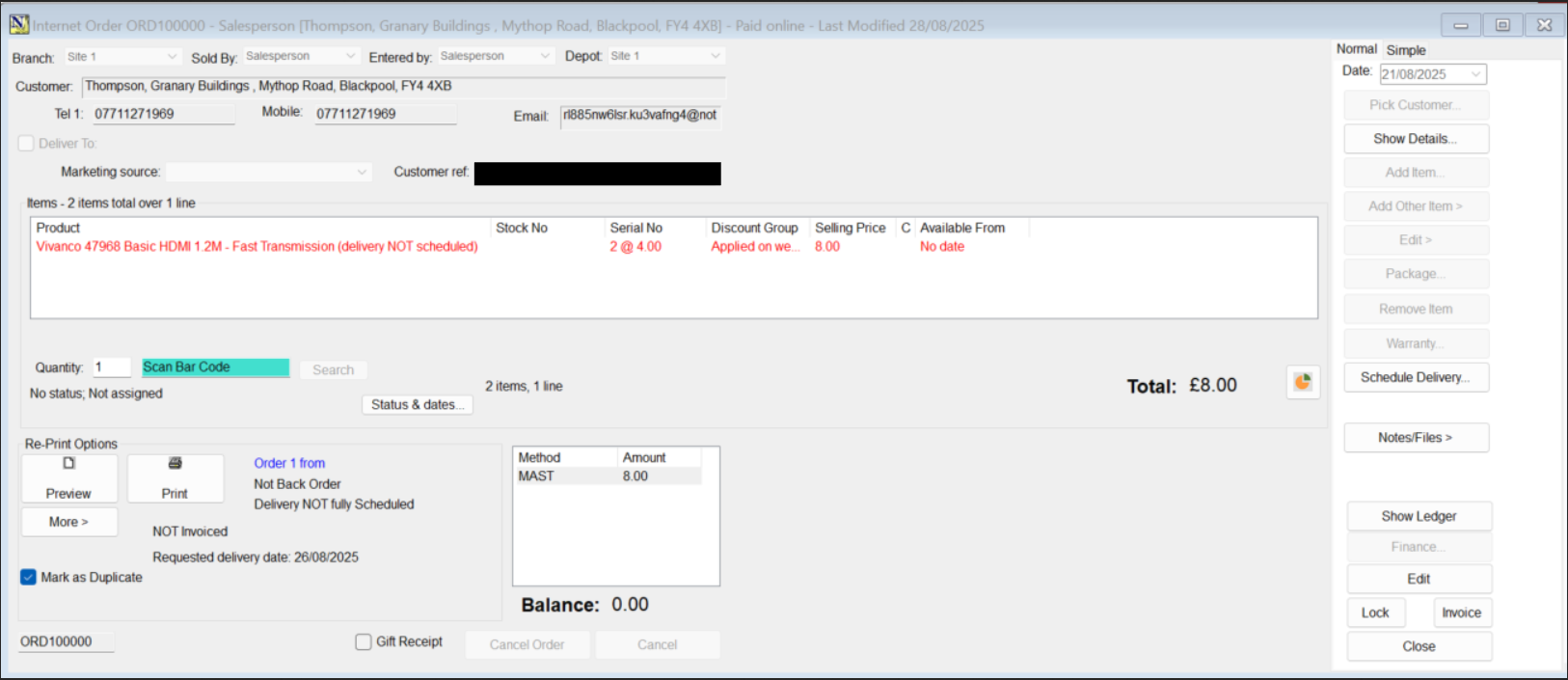
The Requested Delivery date against the sale is set to the earliest date within the customer requested delivery date range, NOT the shipping deadline. (Shipping Deadline - is the deadline the company has to hand off the shipment to the courier)
This date range can be seen on any marketplace order, this will generally be a range of a few days for the customer to receive delivery which can be seen on Tesco.