Configuration
Setting up Agreement Review Types
To set up agreement review types, navigate to the administration menu: Administration > Agreements > Review Types
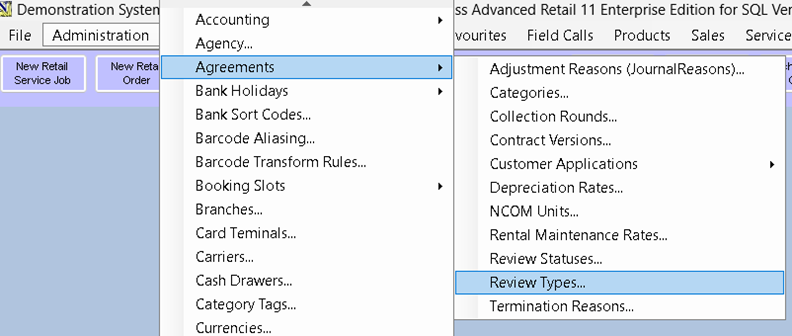
Each review type serves as a descriptive tag for the review. You can create as many review types as needed. Review types can only be deleted if they have not been used. If a review type is no longer needed, mark it as expired.
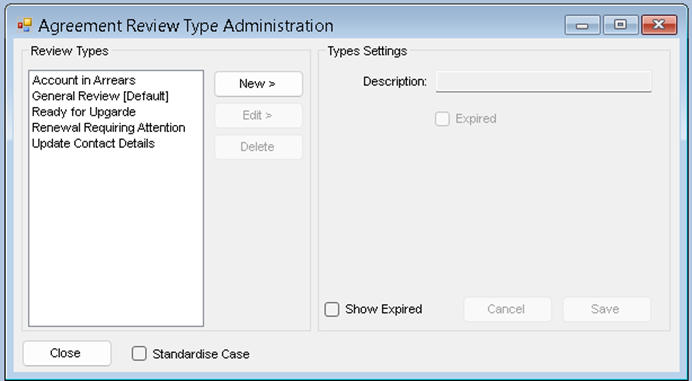
Deleting a Review Type
- Highlight the entry and click ‘Delete’ (only available if the review type has not been used).

Editing a Review Type
- Highlight your entry and click ‘Edit’.
- You can update the description or mark it as expired.
- Click ‘Save’.
Adding a New Review Type
- Click ‘New’.
- Enter the description of the review type.
- Click ‘Save’.
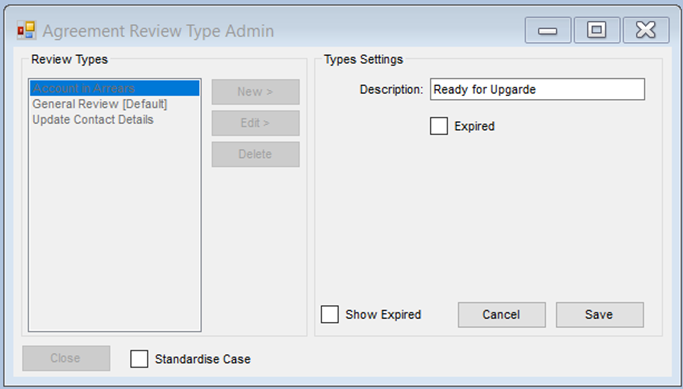
Note: The Standardise Case checkbox will tidy your text entry automatically on save.
Setting Up Agreement Review Statuses
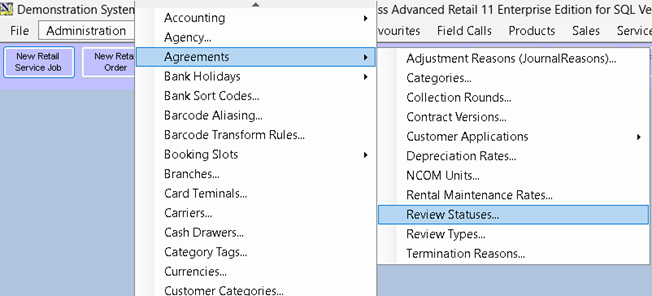
Agreement review statuses can be set up from the administration menu.
Deleting a Review Status
- Highlight the entry and click ‘Delete’ (only available if the review status has not been used).
Editing a Review Status
- Highlight your entry and click ‘Edit’.
- You can update the description, change the completion status, or mark it as expired.
- Click ‘Save’.
Adding a New Review Status
- Click ‘New’.
- Enter your description and tick the options you require.
- Click ‘Save’.
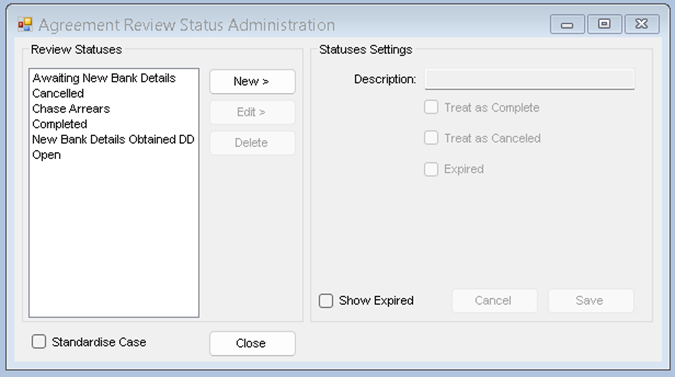
Required Statuses
You will need at least one status with a completed option. It is recommended that you also have at least one with a cancelled option. There will be defaults for these pre-loaded in your system.
- Treat as Complete – If this option is set, the review status will mark the review as complete.
- Treat as Cancelled – If this option is set, the review status will mark the review as cancelled.
- Expired – This will expire the review status so that it can no longer be used.