Applying Extended Warranties to Categories in NCompass

This guide explains how to assign extended warranty categories to departments in NCompass so that they apply correctly across your product structure.

Demonstration
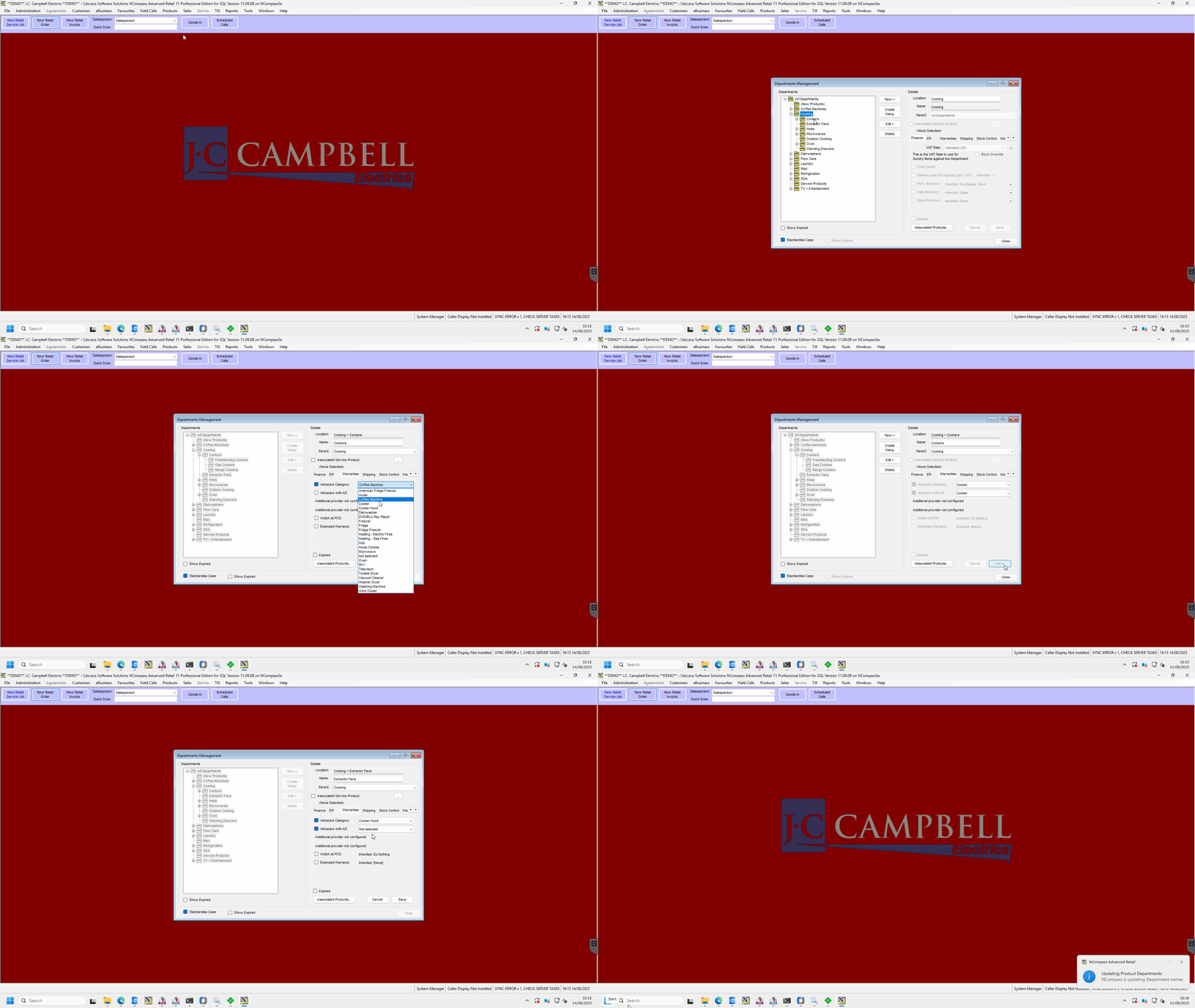
TeamViewer_fVd3EXy7ay.gif


1. Open Department Management

  1. In NCompass, go to Department Management.

  2. Locate the departments that do not yet have a warranty category assigned.


2. Assign a Warranty Category

  1. Select the department you want to configure.

  2. From the Warranty Category list, choose the category you wish to apply.

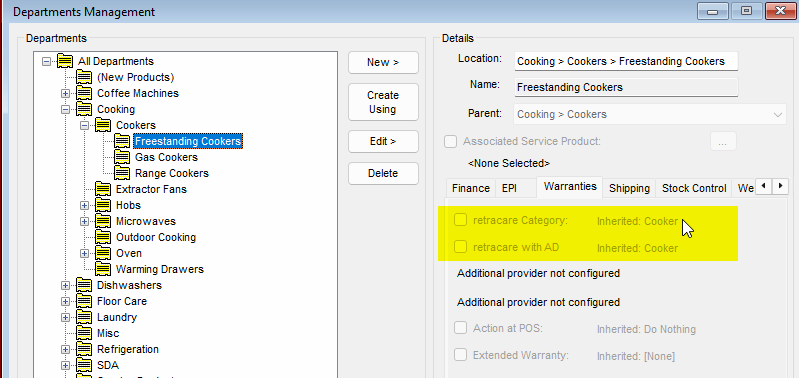
  3. Example: Assigning Cookers to Cooking > Cookers will cause the subcategories:

    • Freestanding Cookers

    • Gas Cookers

    • Range Cookers
      to automatically inherit the warranty category. (as seen below)

image.png


3. When to Apply at the Lowest Level

  • Apply at the lowest category level only when its warranty category differs from its parent.

  • This can happen when the parent category covers a broader set of products, and the subcategory needs a unique warranty category (e.g., a tuple of categories under the parent).


4. Selecting from the Warranty Category List

  • When configuring, you will see the full list of available warranty categories.

  • Choose the most relevant one for your department or subcategory.