Splitting Multiple Supplier Invoices from a Single PDF
If a supplier sends multiple invoices within a single PDF file, NCompass can automatically split the document into separate invoice files during processing.
Prerequisites
Before enabling this feature, ensure you know the text that consistently appears on either the first or last page of every invoice (for example, "Page 1").
Enabling Invoice Splitting
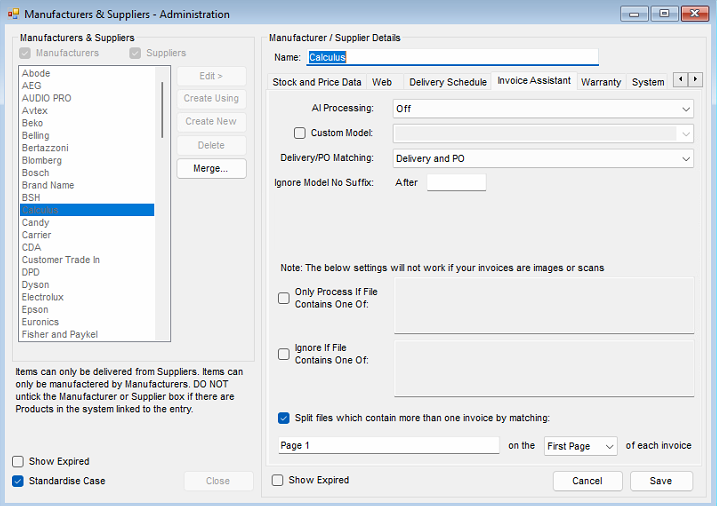
Configuring the Split
Once enabled, NCompass will split the PDF whenever it finds a specified piece of text.
Split on First Page
Choose this option if the matching text appears on the first page of every invoice.
For example:
- Split On: First Page
- Matching Text:
Page 1
This will create a new invoice each time "Page 1" is detected, ensuring that invoices spanning multiple pages remain together.
Split on Last Page
Choose this option if the matching text appears on the last page of every invoice.
NCompass will end the current invoice whenever the specified text is found and begin a new invoice on the following page.