Listed Item Swapping
Create an Item Group (to Allow Swapping)
-
Go to Administration > Item Groups.
-
Click New to create a group.
-
Enter a name for the group (e.g. the skill or swap category name).
-
Tick the checkbox “Allow item swap within group.”
-
Save the group.
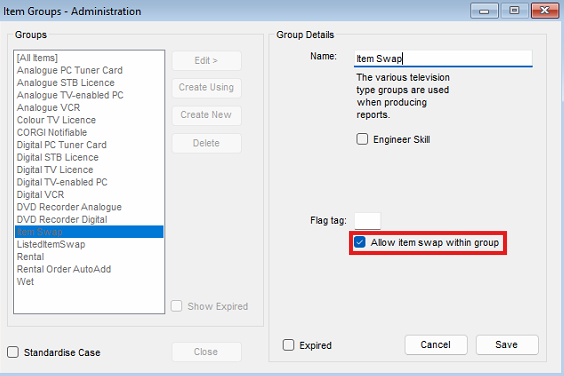
Once enabled, any products added to this group can be swapped interchangeably.
Add a Product to an Item Group
-
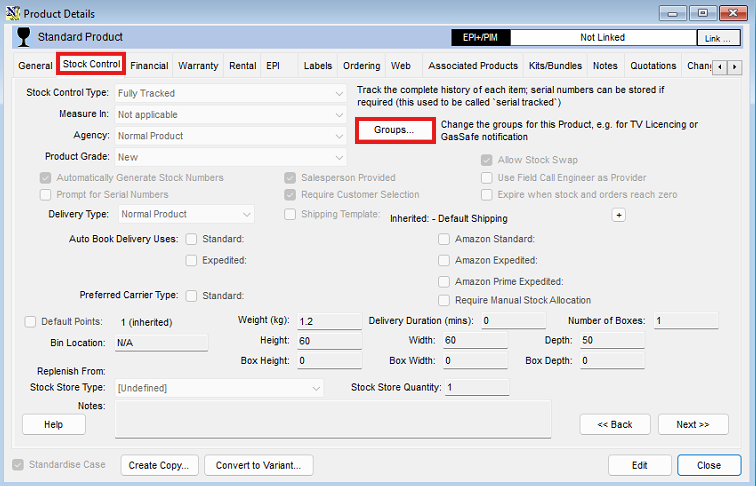
Open the Product Info record for the product you want to add.
-
Go to the Stock Control tab.
-
Click the Groups button.
-
Select the relevant item group you created.
-
Add the group to the product and Save.
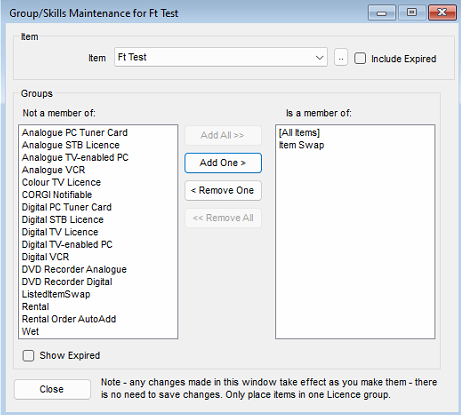
The product can now be swapped with other items in the same group.