NCompass Security Roles
User Management
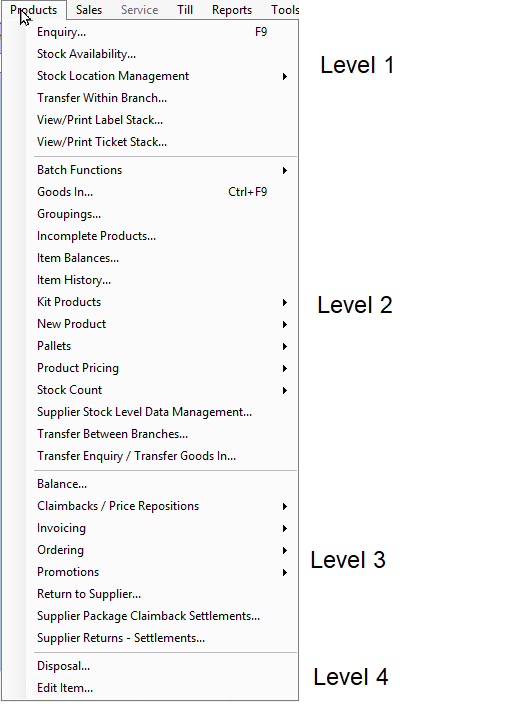
NCompass allows you to set security permissions on a user level using levels Tier 1 to Tier 4, which align with the four levels on a menu such as the products menu, plus Administration and Reporting. This Menu is located Under Administration > Security > User Management
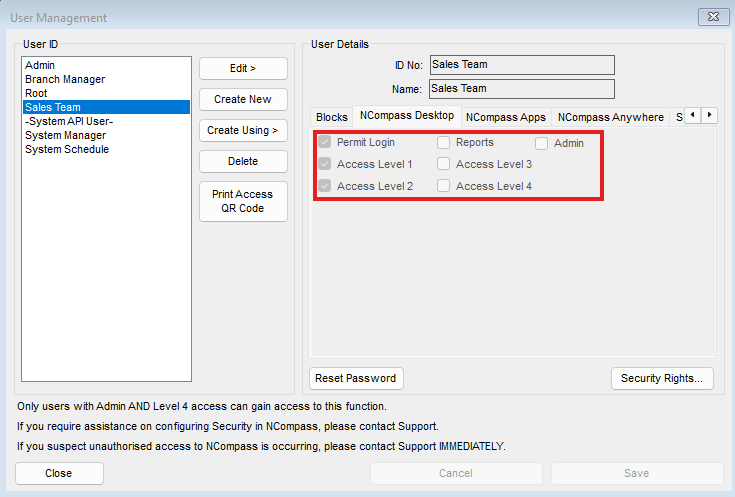
The 4 Access tiers correlate to the menus you will have access to on NCompas
Example of how NCompass defines what menu has what access tier:
You can use Security roles in conjunction with Access tiers to more accurately define what a user should & should not be allowed to access.
NCompass Setup
You can now individually control options in Administration > Security > Security Roles
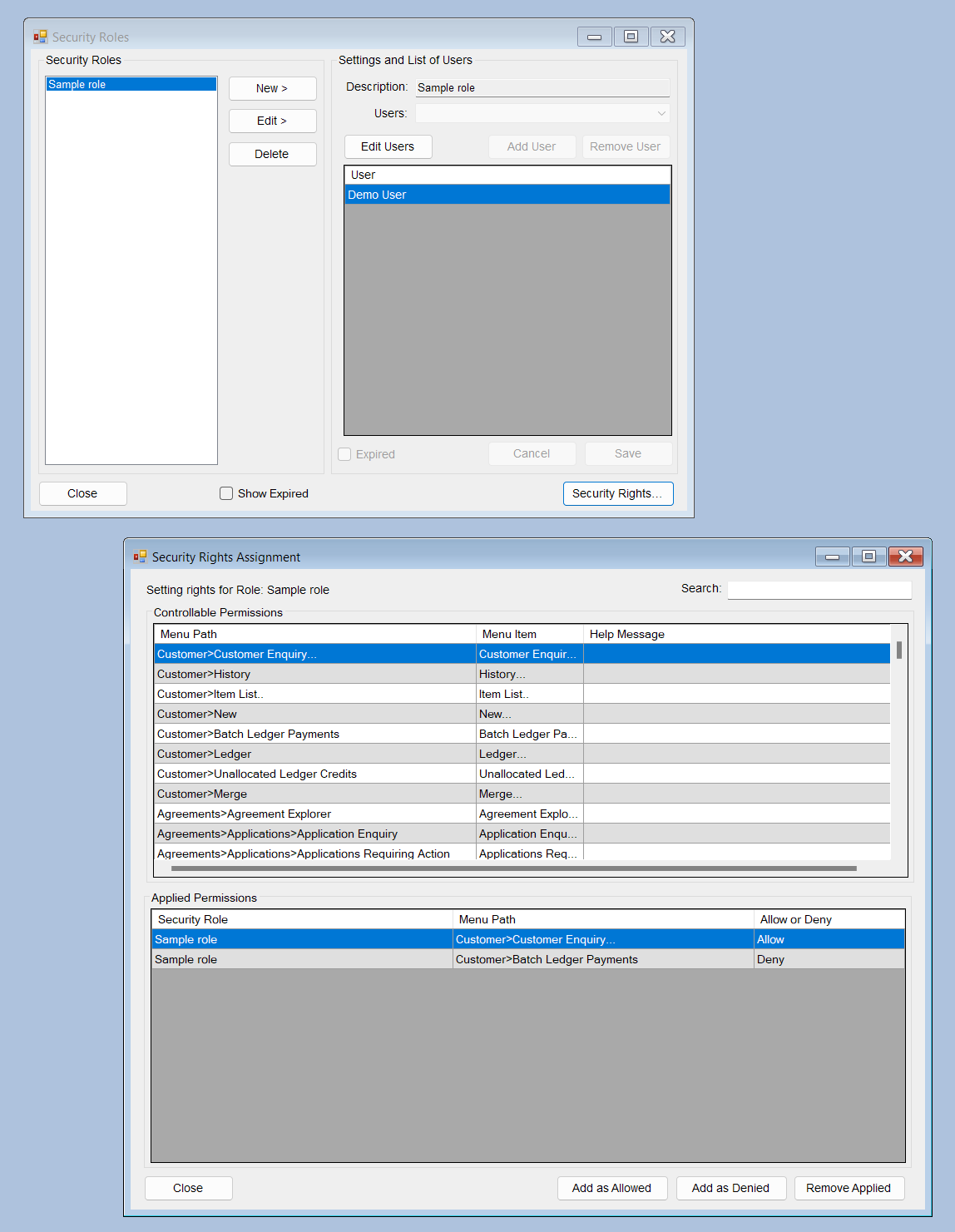
- Setup a security role for each type of role in your business, such as Sales staff, Ordering, etc
- Assign the relevant users to each role
- Add security rights to the role
If a user is enabled for a Tier of access, they will be able to access all features at that level, except where you add an entry to their Security role as a Deny
If a user is not enabled for a Tier of access, you can individually add features from that role to be allowed for them.
If a user is in more than one role, any Deny entry will override an Allow entry.
Example Setup
For example, you may decide to allow your shop-floor staff to carry out sales, and also to receive stock.
You could achieve this by giving them Tier 1 access - allowing them access to the top section on each menu - and then also put them in a Salesperson role which also adds Goods In as an allowed option.
You could also do the inverse by setting Tier 4 access for a user but granting a security role restricting certain menus.