Google Promotions ID
This guide explains how to associate products in NCompass with the promotion_id attribute required for Google Merchant Center promotions. This allows you to run targeted promotions for groups of products as outlined in Google’s documentation:
Google Merchant Promotions - About the promotion_id attribute
Step 1: Create the promotion_id Attribute in NCompass
To begin, you need to create a new attribute that links products to Google’s promotion_id.
Instructions:
-
Log in to NCompass.
-
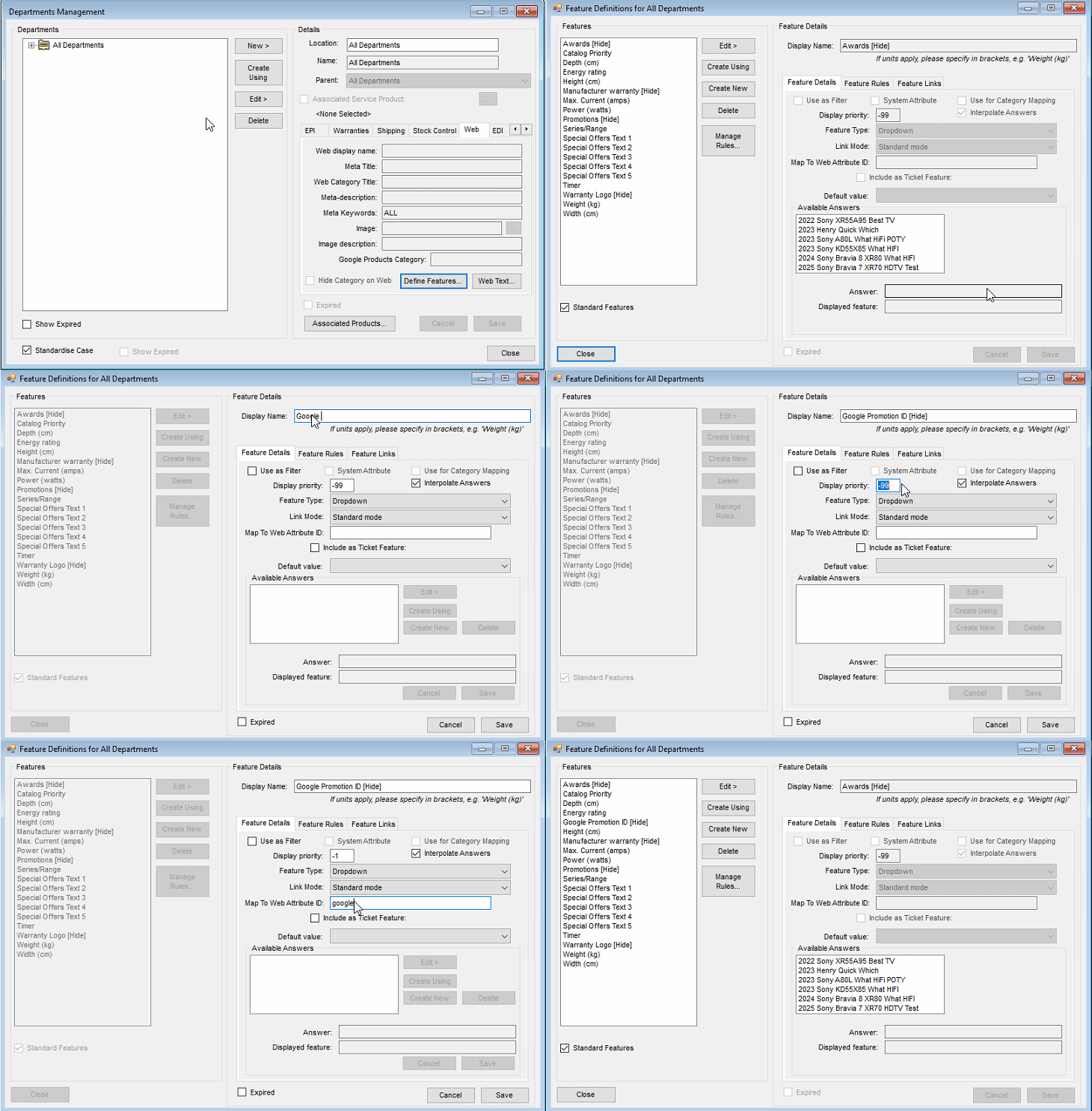
Navigate to Department Management.
-
Highlight the "All Departments" category.
-
Click the Web tab.
-
Select Define Features.
-
In the new window, click Create New and enter the following details:
Field Value Display Name Google Promotion ID [Hide] Use as Filter Unchecked Display Priority -1 Filter Type Dropdown Map To Web Attribute ID googlepromoid
💡 Tip: The
[Hide]tag in the Display Name ensures this feature doesn’t appear on the frontend filter panel.
Video Walkthrough
A short video demonstrating how to create this attribute in the Department Administration panel is available below.
Step 2: Assign Promotion IDs to Products
Once the attribute is created, you can assign promotion IDs to individual or bulk product listings using the new googlepromoid field either through ncompass price import facility, OR assigning the feature manually on a product level basis. If you require further information on how to manage your price imports , or managing features on products, please reach out to our support email on support@findesolutions.com
Once you syncronise products to your website with the value inside that attribute, these will correctly display in the merchant feed with a promotion_id value against the product