View Product Online & Image Links for Feed Integrations
Using NCompass View Product Online / Image Link for Feed Compatibility
For sales placed online via a 3rd party integration website, certain fields are required by most feed providers. These fields are submitted from NCompass once orders have been invoiced and are commonly required by providers such as AWIN, Trustpilot, and similar affiliate or review platforms.
To support these feeds, we include two configurable URL fields which allow third parties to link directly to the relevant product information on the website.
The two fields provided in the feed are:
View Product Online URL
www.mywebsite.com/showproduct.php?sku=!LIWCODE!Product Main Image URL
www.mywebsite.com/showimage.php?sku=!LIWCODE!Dynamic SKU Replacement
The most important part of the above URLs is the token:
!LIWCODE!This value is dynamically rendered within the feed by NCompass using the product's SKU field.
The SKU in this context represents the primary numeric identifier of the product on the website. This identifier is used by the core integration (either via a direct API integration or the NCompass Web Sync Utility) to link products between the website and NCompass.
This identifier is what maintains the relationship between the product in NCompass and the corresponding product on the website.
While the base URL structure can be anything defined by the website developer, NCompass will always append the product identifier in place of !LIWCODE!
View Product Online URL Behaviour
For the following example URL:
www.mywebsite.com/showproduct.php?sku=!LIWCODE!When the SKU value is substituted, opening the link should take the user directly to the product page on the website.
Example:
www.mywebsite.com/showproduct.php?sku=12345This should load the product page corresponding to that SKU.
Product Image URL Behaviour
For the image URL:
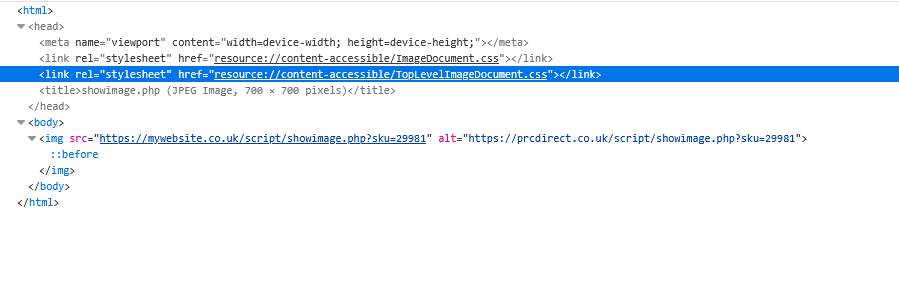
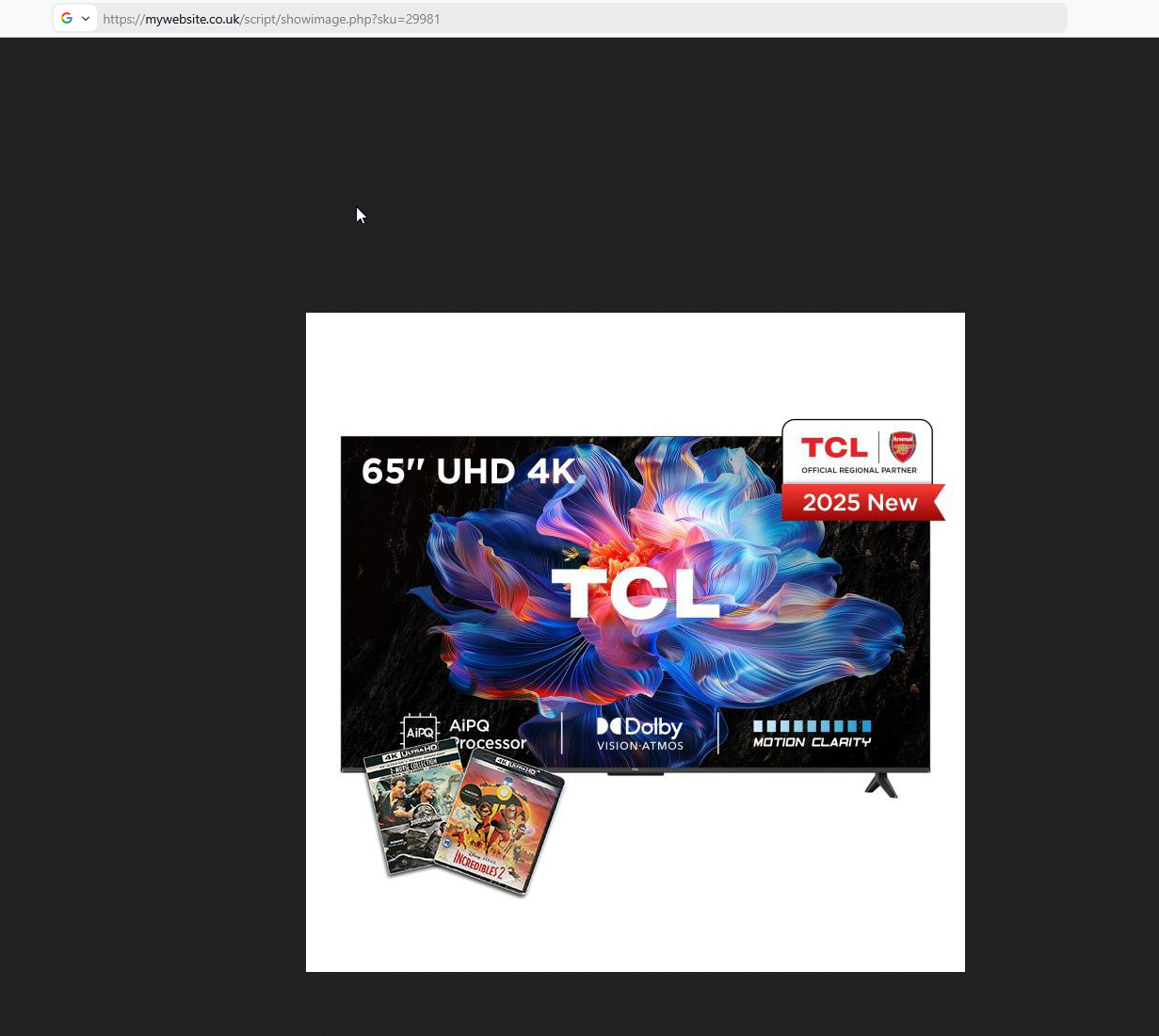
www.mywebsite.com/showimage.php?sku=!LIWCODE!This endpoint must return only the main product image.
The response from this URL should contain no HTML page structure, navigation, or layout elements. Instead, the response body should directly output the image itself.
Effectively, the response should behave as though the browser has directly loaded an image file.
Example expected behaviour:
www.mywebsite.com/showimage.php?sku=12345This should return the product’s primary image in a format similar to:
https://www.mywebsite.com/images/products/12345.jpgThe page output should strictly be the image content itself, allowing third party feed processors to retrieve the product image reliably.
Example PHP implementation;
Example – View Product Online URL
This example accepts the SKU from the query string and redirects the user to the matching product page
<?php

$sku = isset($_GET['sku']) ? trim($_GET['sku']) : '';

if ($sku === '') {
    http_response_code(400);
    exit('Missing sku');
}

/*
 * Example only:
 * Replace this lookup logic with the website's actual product lookup method.
 */
$productUrl = '/product/' . urlencode($sku);

header('Location: ' . $productUrl, true, 302);
exit;
Example – Product Main Image URL
This example accepts the SKU, finds the matching image file, outputs the correct image mime type, and returns the image directly.
<?php

$sku = isset($_GET['sku']) ? trim($_GET['sku']) : '';

if ($sku === '') {
    http_response_code(400);
    exit('Missing sku');
}

/*
 * Example only:
 * Replace this with the website's actual logic for locating the main product image.
 */
$imagePath = __DIR__ . '/images/products/' . $sku . '.jpg';

if (!file_exists($imagePath)) {
    http_response_code(404);
    exit('Image not found');
}

$mimeType = mime_content_type($imagePath);

$allowedMimeTypes = [
    'image/jpeg',
    'image/png',
    'image/webp',
    'image/gif'
];

if (!in_array($mimeType, $allowedMimeTypes, true)) {
    http_response_code(415);
    exit('Unsupported image type');
}

header('Content-Type: ' . $mimeType);
header('Content-Length: ' . filesize($imagePath));
readfile($imagePath);
exit;