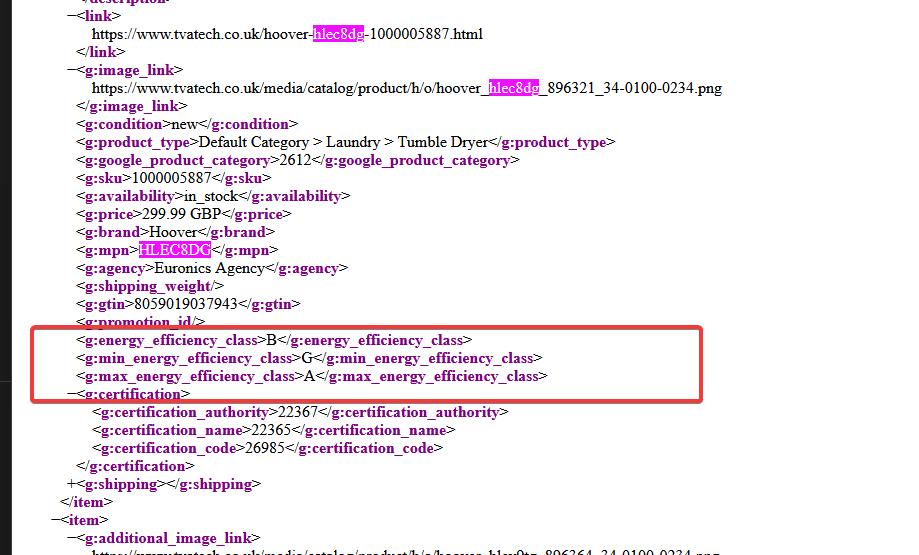
Min/Max Energy Efficiency Class Google Feed Support
Where you might not be using our energy rating service (this would be setup for you as part of this energy rating service which is a chargeable module) you can reach out to admin@findesolutions.com to find out more information on this.
This setup enables your Google product feed to include the following optional energy efficiency attributes, which are used to define the range of energy classes available for a product:
-
min_energy_efficiency_class: Indicates the lowest energy efficiency class within the product range.
Example:"min_energy_efficiency_class": "D" -
max_energy_efficiency_class: Indicates the highest energy efficiency class within the product range.
Example:"max_energy_efficiency_class": "A++"
These values help Google display more detailed energy information for applicable products, improving compliance and visibility in search results.
1. Attribute Configuration Instructions
To enable this in your system:
-
Open NCompass and navigate to: Administration >Department Management
-
Select the "All Departments" category.
-
On the right panel, click on "Web".
-
Scroll down to "Define Features".
-
Click "Create New" from the central list of buttons.
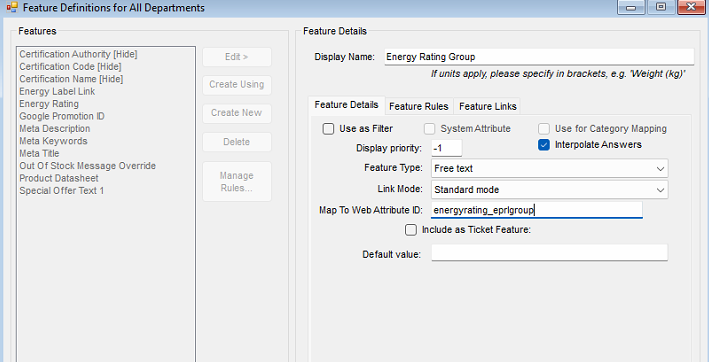
Fill in the following fields:
-
Display Name:
Energy Rating Group -
Use as filter: Unchecked
-
Display Priority:
-1 -
Feature Type:
Free Text -
Map To Web Attribute ID:
energyrating_eprlgroup
-
Click Save.
2. Applying Energy Rating Values to Products
Once set up, assign values based on the energy class range used:
| Range Used | Value to Input |
|---|---|
| A to G (newer scale) | 2019 |
| A+++ to D (older scale) | 2013 |
-
Apply the relevant value to the Energy Rating Group feature for each product like so.
Under the Product Information > Web tab for the item, locate the new feature created, and populate with the required value.
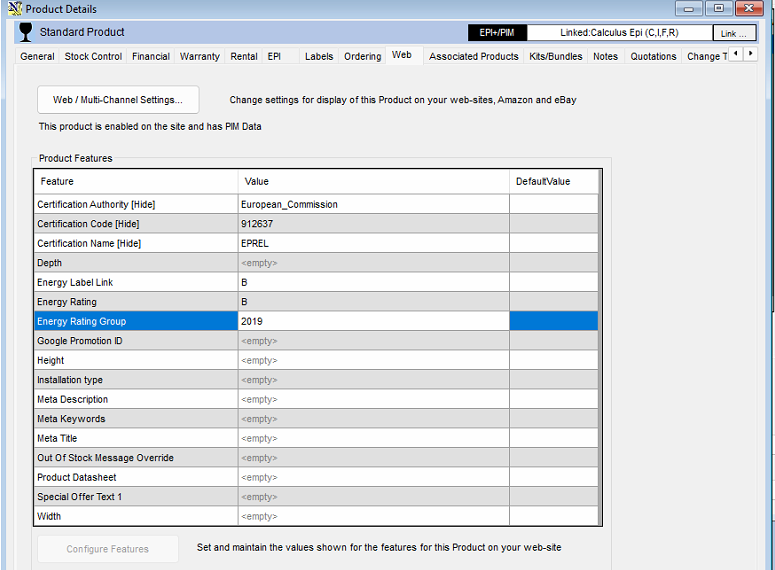
This will then appear in the feed like the following for use by google merchant centre, or any other agency required to use the min/max efficiency class.