Goods In
There have been some changes to streamline the goods in process. There is a new option for a Two Step Goods In which allows users to preemptively tell NCompass what items are going to be received into stock via the Purchase Orders.
This allows the Delivery Note, and the expected arrival date/date range to be pre-populated which means we can safely skip the Manifest step which can save a lot of time booking in stock. It pairs well with the wireless label printers too to massively reduce the risk of sticking the wrong label on a box. This would be our recommended solution but will require consultation with our Implementation department before using for the first time.
Settings
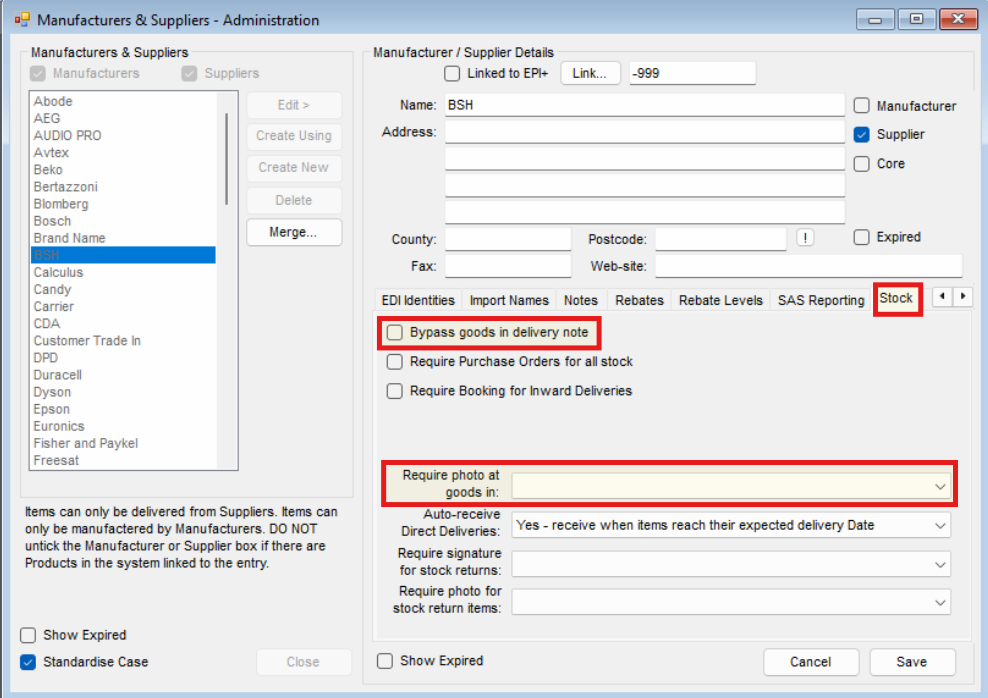
There are two settings to change the behavior in the app at Goods In which need to be done on a Supplier level:
- Bypass goods in delivery note - this refers to the Two Step Goods In, only select this IF you have had consultancy with Calculus as misuse will result in Goods In being blocked for the Suppliers with it set.
- Require photo at Goods In:
-
- Yes - Forces the user
- No - Skips the step
- Remind - Prompts the step
Goods In
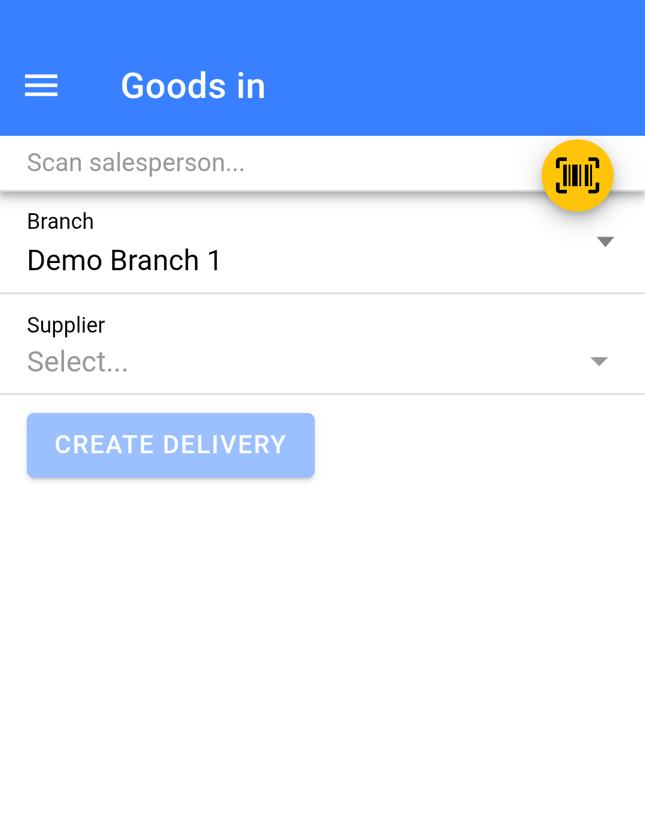
- Select a Supplier
- Leave the Date as today
- Enter or Scan the Delivery Note Number
- Click Create Delivery

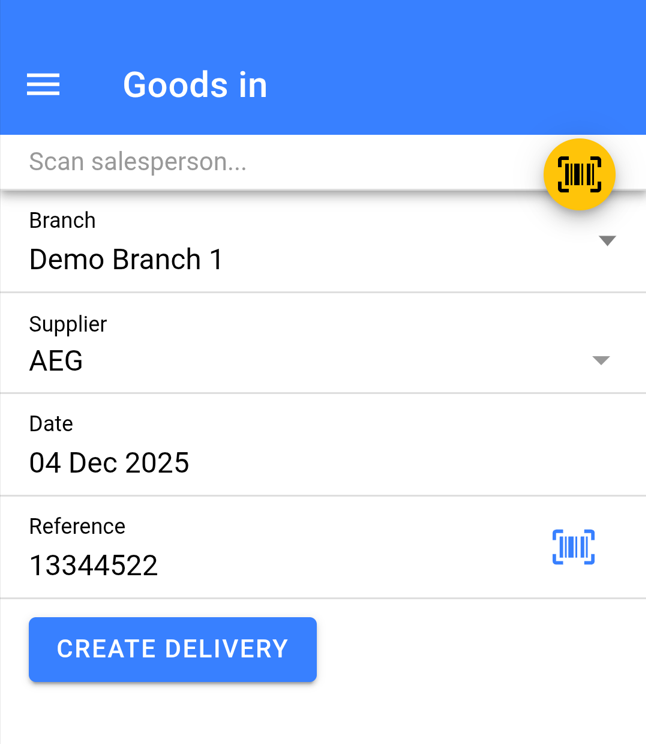
If the Supplier is enabled for Two Step Goods In (mentioned in the Settings Section) you will not be required to input a date or Delivery Note Number.
Add Products
If you are using Two Step Goods In as you scan the items EAN's the labels will print and stock booked in immediately at Step two bypassing the remainder of this guide.
If items are not in the list that you expected you will need to speak to the member(s) of staff who input the delivery note details before the stock arrives to resolve.
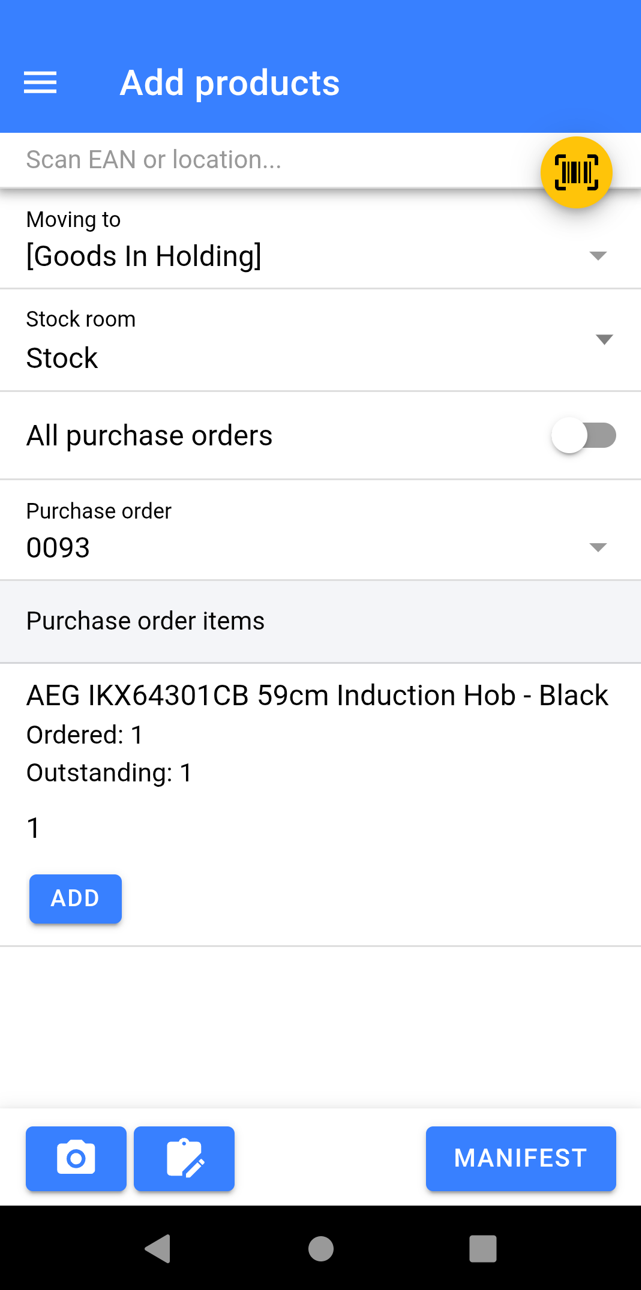
- If your process requires you to, scan a location barcode to store all the stock from the delivery into. All stock will default to be stored in [Goods In Holding] otherwise (recommended method). From 11.19: for count-only products you can scan a bin here and the count-only stock goes into it. If nothing is scanned, it goes into the Goods In default bin when one is set in NCompass (Configuration > Stock), and otherwise into no location, as before.
- Change Stock Room If required
- Select All Purchase Orders, if you wish to book in stock regardless of what PO the item links to.
- Select the Purchase Order numbers that you are receiving into stock on this Delivery Note. You can select multiple.
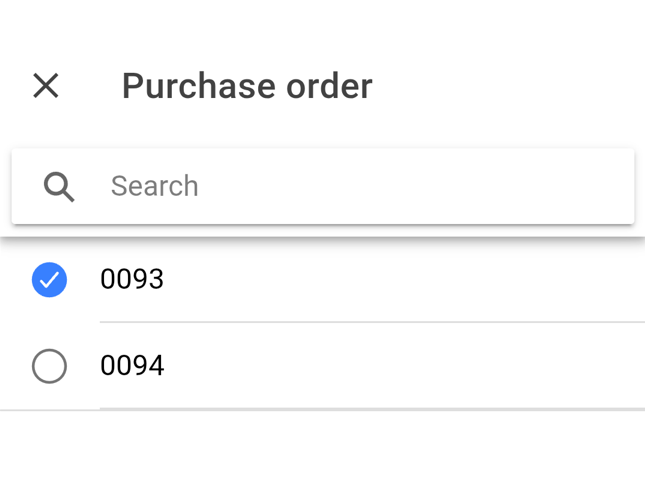
Booking in from all PO's does come with a risk as if the same item is outstanding on multiple PO's you are losing the ability to select which PO the item has been received in from.
You will now be presented with a list of the item(s) you are expected to receive into stock:
- Scan the EAN of the product which will book 1 into stock. It will also prompt for a Quantity to receive in.
Alternatively:
- Against each item in the list specify a quantity for those you have received and click Add
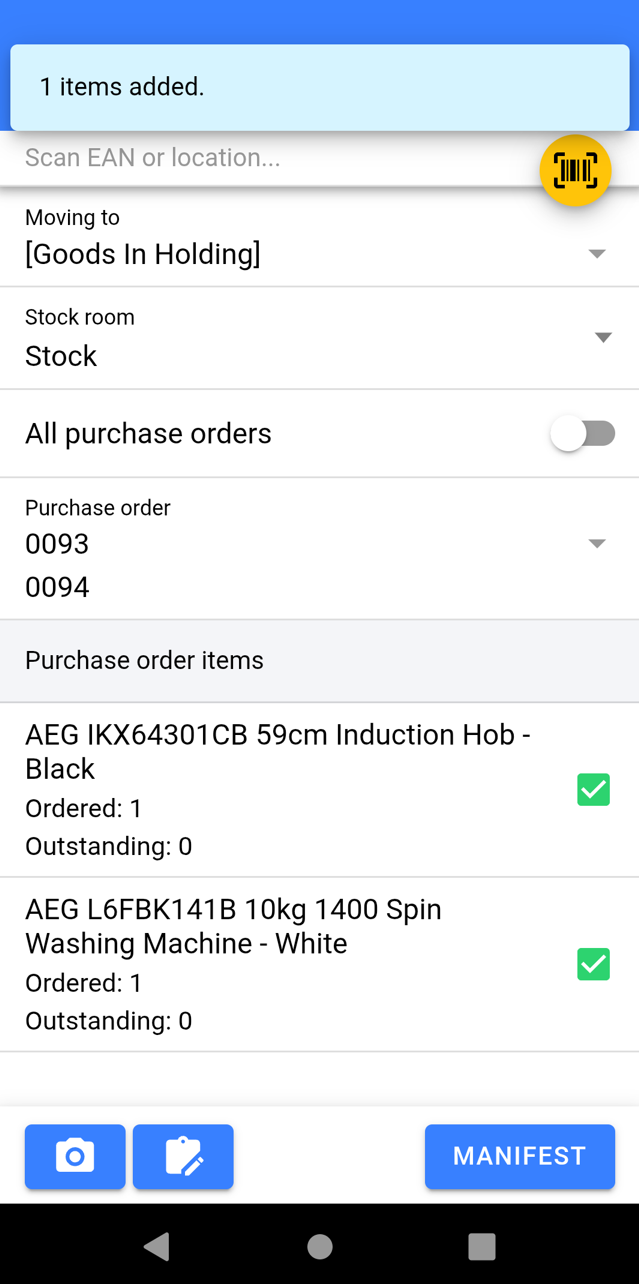
Once you have scanned/ Added all the items on the Delivery Note:
- Attach images if required, especially if there were any damages to goods.
- Click Manifest
Manifest
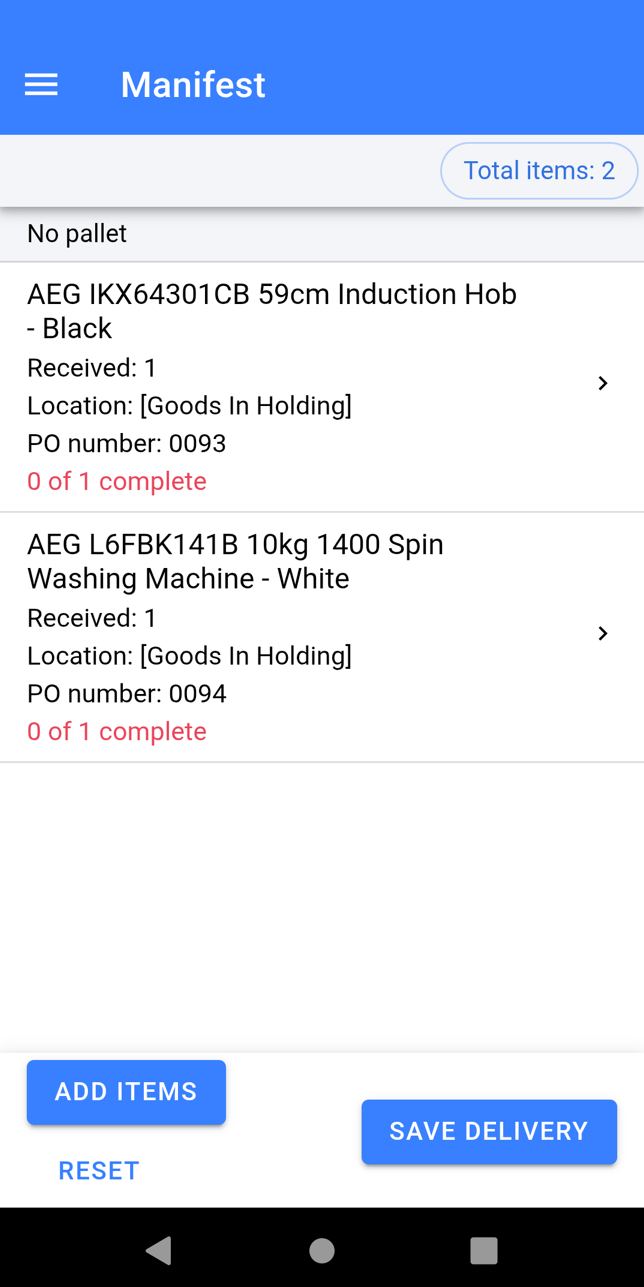
- Ensure the Total Quantity matches what you expected.
- Check the correct items have been booked in against paperwork/items you have physically received
If you have missed item(s):
- Click Add Items
If you have booked something in error:
- Click on the item and Swipe to Remove individual items or Click Remove All to get rid of all of the selected items quantity.
- Once you are happy the items in the Manifest are correct click Save Delivery. The items will now book into stock and the labels will print off to be stuck on the boxes.
Capturing Serial Numbers and Condition
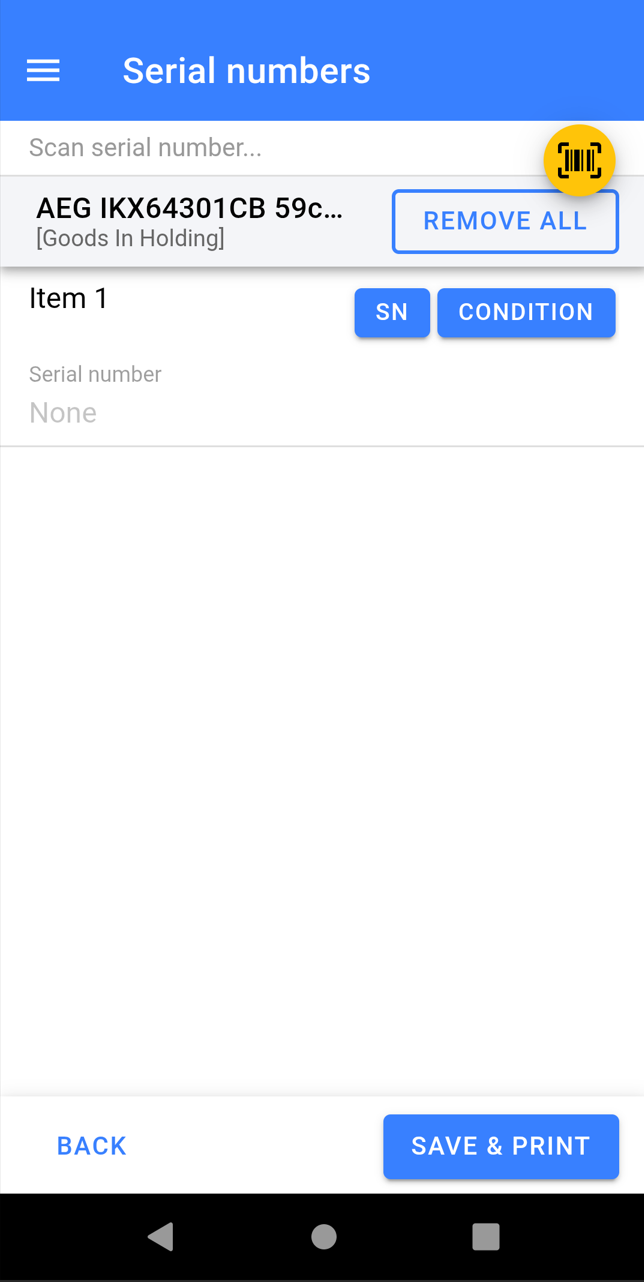
- Click on the item(s) you need to capture Serial Number/Condition for
- Scan the Serial Numbers to Add them in, you do not need to click into each SN
- Click into the Condition Notes to Add Condition, Pricing, and Stock Number Specific Images.
- Once finished Click Save & Print