Mapping Couriers to Marketplaces
Mapping carriers to marketplace is necessary to automatically send up tracking consignments to the customer.
This is also an absolute requirement for Tesco to send up field call shipping updates from NCompass.
Engineer Setup
As long as you already have your Carrier engineers setup and working, you will only need to link them to marketplace.
This can be done under Administration > Salesperson/Engineers > Edit
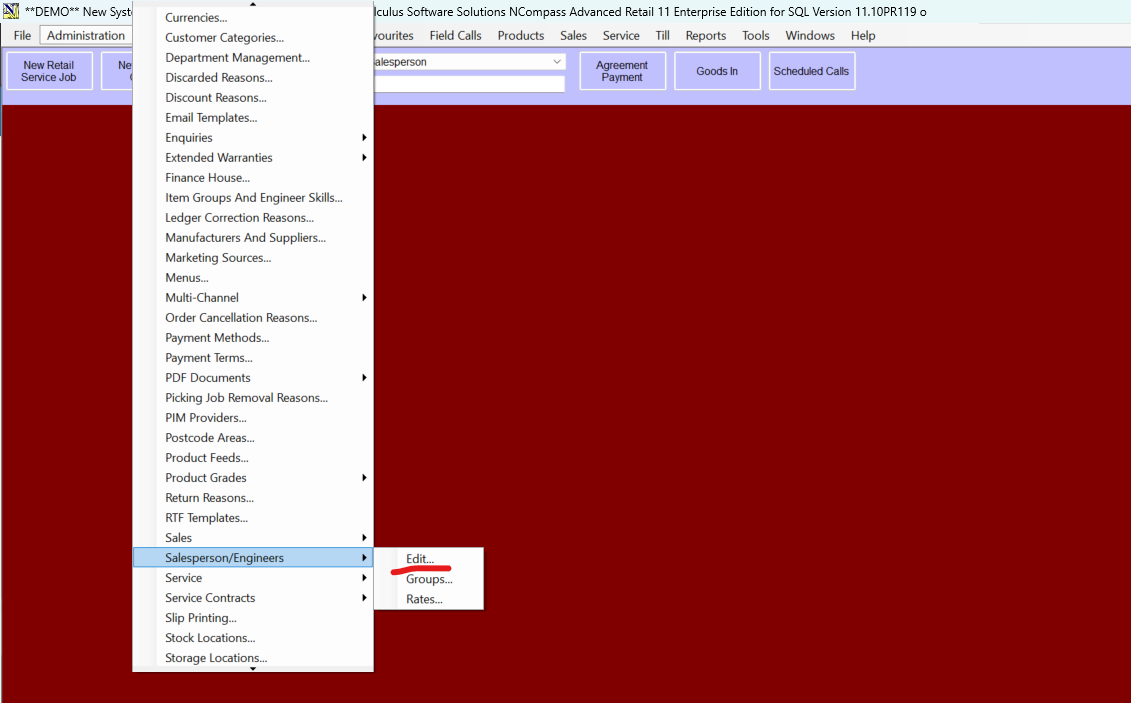
From this screen, select the carrier engineer and press on "Edit"
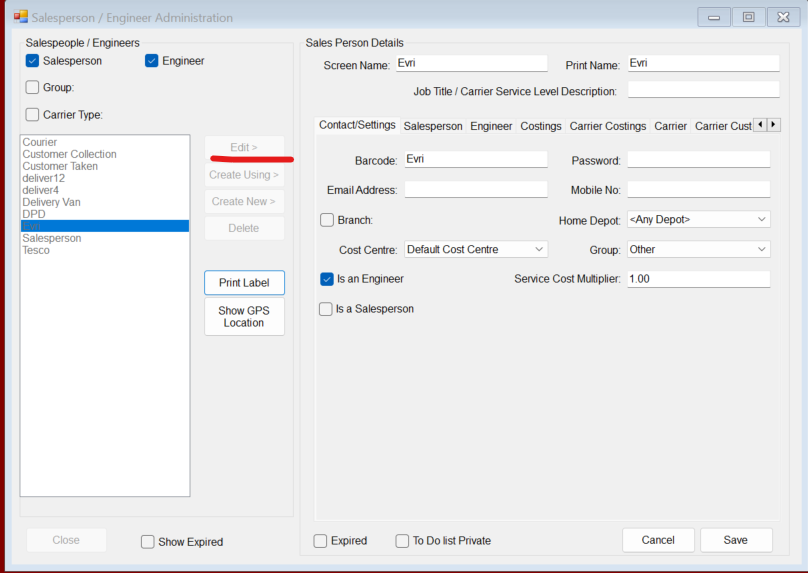
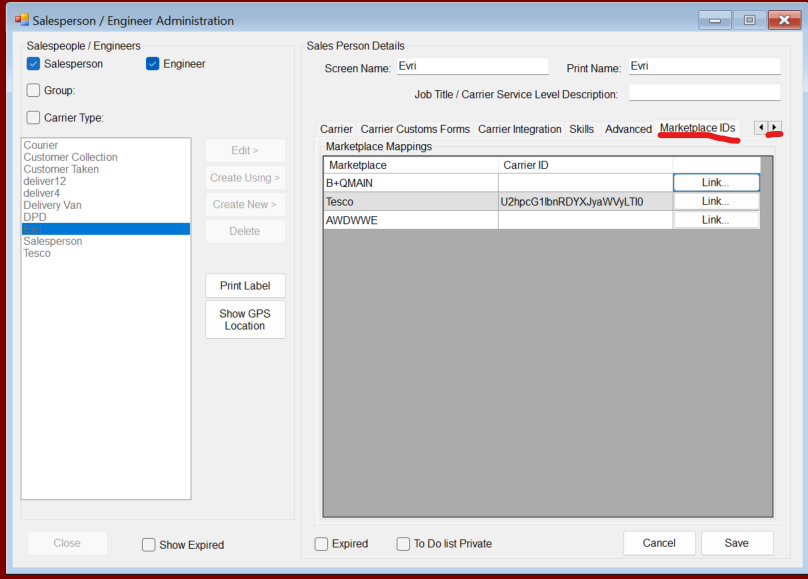
If you have your marketplaces linked properly these will be listed there already but unlinked. To link these, press onto the "Link" button. This makes a call to the corresponding marketplace asking which couriers you support
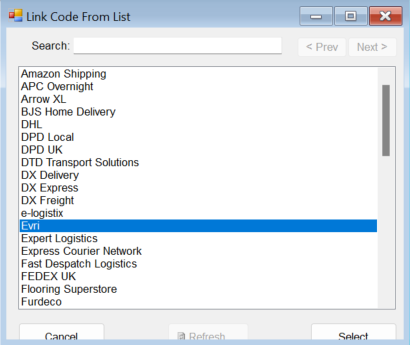
Select the Courier from the list to link that marketplace courier to the engineer. Once engineer can link to multiple marketplace couriers. Evri Courier engineer can link to B&Q and Tesco for example
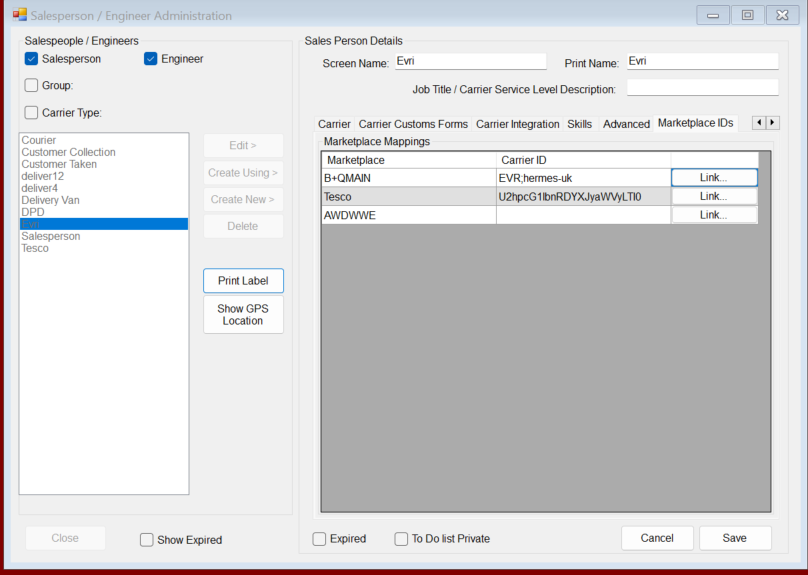
Once this is done, Creating a field call for a Marketplace sale and raising consignments for this engineer and sending updates will send the tracking ID and associated courier to the corresponding marketplace sale.
Shipments are either booked through NCompass or manually by the user. The integration does NOT book anything with courier. NCompass is simply relaying courier tracking info from the field call within NCompass to the customer.